Learning how to optimize Google Business Profile for local SEO is one of the highest-return investments any local business can make in its digital presence, and the results are backed by some of the most compelling data in all of search marketing. According to Google, customers are 70 percent more likely to visit and 50 percent more likely to purchase from a business with a complete and accurate profile.
With 46 percent of all Google searches seeking local information and 88 percent of consumers who search for a local business on mobile visiting or calling within 24 hours, your Google Business Profile is not simply a directory listing. It is your most powerful local marketing asset. This guide covers every step of how to optimize your Google Business Profile for local SEO, how to set it up correctly from the beginning, how to audit it for performance gaps, and how to improve your local rankings consistently in 2025 and 2026.
What Is Google Business Profile and why does it drive local SEO Results
Google Business Profile, formerly known as Google My Business, is a free tool provided by Google that allows businesses to manage how they appear across Google Search and Google Maps. When a user searches for a service near their location, such as “plumber in Austin” or “coffee shop near me,” Google displays a featured set of local business results called the Local Pack or Map Pack. This section appears above the standard organic search results and contains three businesses along with their ratings, hours, address, and contact information.
Appearing in the Local Pack is the primary goal of local SEO because those three positions receive the overwhelming majority of clicks, calls, and direction requests from local search traffic. Your Google Business Profile is the central signal Google evaluates when determining which businesses appear in those coveted positions.
A fully optimized profile gives Google what it needs to match your business with relevant searches. It demonstrates to both Google and potential customers that your business is active, trustworthy, accurately represented, and worth recommending. A partially filled or outdated profile, by contrast, leaves Google without the information it needs to confidently rank your listing, and that uncertainty costs you visibility, traffic, and customers every day.
How Google Ranks Local Businesses: The Three Core Factors
Before diving into the specific steps of how to optimize your Google Business Profile, it is essential to understand how Google’s local ranking algorithm works. Google has publicly confirmed that local search rankings are based on three primary factors: Relevance, Distance, and Prominence. Every optimization decision you make should be designed to strengthen your performance across all three.
Relevance measures how closely your Google Business Profile matches what a user is searching for. Google scans your profile information, business categories, services, description, and the content of your linked website to determine whether your business is an appropriate match for a given query. The more clearly and completely your profile communicates what you do, the more searches it will match.
Proximity refers to how far your business is from the user performing the search or the location specified in the query. Distance is a factor you cannot directly manipulate, but you can maximize the area you rank within by optimizing all other factors as strongly as possible. For service-area businesses that travel to customers, properly configuring your service area in your profile helps Google understand the geographic range you serve.
Prominence measures how well-known and trusted your business is both online and in the real world. Prominently ranked businesses typically have more reviews, stronger review ratings, consistent citations across online directories, backlinks from authoritative local websites, and active social proof. Prominence is the factor that separates competitive local businesses from the ones that appear in every relevant Map Pack search.
Related Topic: How To Track Social Media Performance
How to Set Up Google My Business for Local SEO: The Foundation
Before optimizing your profile, you need to ensure it is properly claimed and verified. Verification is the foundational step that tells Google you are the authorized representative of the business and gives you full control over the information customers see.
Visit business.google.com and sign in with a Google account. Search for your business to see if a listing already exists. Many businesses have auto-generated listings created by Google from public data, and claiming that existing listing is preferable to creating a duplicate. If your business does not appear, you can create a new listing by providing your business name and category.
Google offers several verification methods depending on your business type and location, including postcard verification by mail, phone verification, email verification, and video verification. Postcard verification remains the most common method for physical location businesses and involves Google sending a card with a unique code to your business address that you enter in your profile to confirm ownership.
Once verified, you have full access to edit every section of your profile, post updates, respond to reviews, add photos, and access performance insights. Verification also signals to Google that the information on your profile is controlled and maintained by an accountable party, which supports trust and ranking confidence.
Step by Step: How to Optimize Google Business Profile for Local SEO
Complete Every Section of Your Profile
Completing every available section of your Google Business Profile is the most fundamental step in local SEO optimization. Google explicitly favors complete and accurate profiles, and fully completed listings consistently rank better than those with missing or partial information.
Follow these guidelines for each core section.
Business Name. Match your name exactly as it appears in the real world, on your website, and across all online directories. Adding keywords or location names to your business name violates Google’s guidelines and risks profile suspension.
Address. Use a precise, correctly formatted address that matches your website and all other online listings. Service-area businesses that travel to customers can hide their address and configure service areas by city, region, or postal code instead.
Phone Number. Use a local number with your area code rather than a toll-free number whenever possible. Local numbers reinforce geographic relevance and strengthen your local SEO signals.
Website URL. Link to the most relevant page for your profile. Single-location businesses should typically link to their homepage, while multi-location businesses should link each profile to its corresponding dedicated location page.
Business Hours. Keep your hours current and update them in advance for holidays and special occasions. Outdated hours are one of the most common and easily correctable profile issues, and Google allows you to schedule special hours ahead of time to maintain accuracy year-round.
Choose the Right Primary Category and Secondary Categories
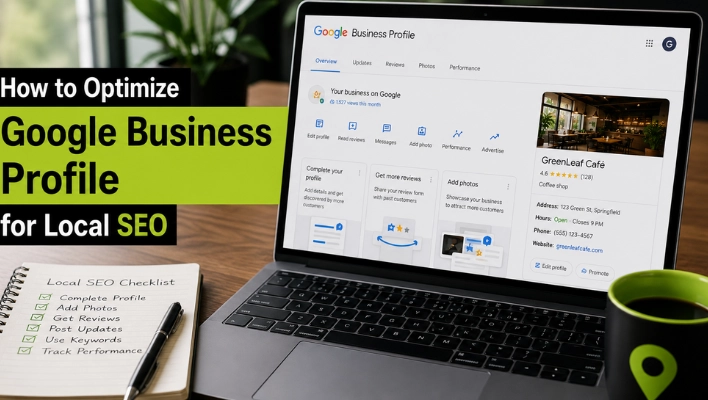
Category selection is one of the most powerful ranking signals in your Google Business Profile and one of the most commonly mishandled. Your primary category tells Google the core function of your business and is the single most influential category-related decision you will make.
Choose the most specific primary category that accurately describes what your business primarily does. A dental practice that specializes in cosmetic dentistry should select “Cosmetic Dentist” rather than the broader “Dentist” category if that specificity is supported by your services. A personal injury law firm should select “Personal Injury Attorney” rather than “Lawyer” if personal injury is its primary focus.
Google allows you to add up to nine secondary categories in addition to your primary category. Use secondary categories to reflect additional services or specialties your business genuinely provides. A bakery might add “Cake Shop” and “Coffee Shop” as secondary categories if those accurately describe services offered. Secondary categories expand the range of searches your profile is eligible to appear for without diluting your primary category signal.
Research the categories your top-ranking local competitors are using, as their category choices reveal what Google has determined is most relevant for your service area. Tools designed for Google Business Profile research can show you the exact categories competing businesses have selected, giving you actionable intelligence for optimizing your own configuration.
Write a Keyword-Rich Business Description
Your Google Business Profile description gives you 750 characters to communicate to both Google and potential customers who you are, what you do, where you operate, and what makes you the right choice. Most businesses use this space poorly, either leaving it blank, copying generic marketing language, or stuffing it with keyword variations that read like a list rather than a description.
The most effective business descriptions open with the most important information within the first 250 characters, because Google may truncate the display in search results. Begin with a clear, natural statement of your core service and location. Follow with two to three sentences describing your specialties, differentiators, or the specific customers you serve. Close with a sentence that includes your service area or locations served.
Include your primary local SEO keywords naturally throughout the description. If you are a plumbing company serving Sacramento, writing a description that naturally references “plumbing services in Sacramento” and related services helps Google connect your profile to relevant local search queries. However, the description should read as naturally written content for a human reader, not as a keyword list designed for an algorithm.
Add and Optimize Your Services and Products
The Services section of your Google Business Profile is one of the most underutilized optimization opportunities available to local businesses. Google extracts keyword and relevance signals from the services you list, and having your full range of services explicitly detailed helps your profile appear for more specific long-tail searches beyond your primary business category.
List every service you provide with a clear name and a brief description for each. Use the terminology your customers use when searching, not internal company language. A roofing contractor should list services like “roof replacement,” “emergency roof repair,” “gutter installation,” and “flat roof installation” rather than grouping everything under a single “roofing services” entry. Each service listing is an opportunity to match a different customer search query.
For businesses that sell physical products, the Products section lets you showcase individual items with photos, descriptions, and pricing. Product listings appear in the Knowledge Panel that displays when users search for your business directly and can significantly increase engagement from people who discover your listing through branded searches.
Add High Quality Photos and Videos Consistently
Photos are one of the most impactful elements of your Google Business Profile. Businesses with photos receive 42 percent more direction requests and 35 percent more website clicks than those without. Profiles with 50 or more photos and consistent weekly additions consistently outperform competitors with fewer images in local prominence scoring.
Cover every available photo category to maximize impact. Cover and profile photos shape your first visual impression. Interior photos show customers what to expect when they arrive. Exterior photos help with navigation and recognition. Team photos build personal connection and trust. Product and service photos demonstrate your offerings visually. Before-and-after photos are especially powerful for service businesses such as contractors, landscapers, and salon professionals.
Quality matters as much as quantity. Use well-lit, clear, authentic images that accurately represent your business. Avoid stock photos, heavily filtered images, and graphics with text overlaid, as these perform poorly and can be flagged by Google’s systems. Upload new photos on a regular schedule to keep your profile appearing active and maintained.
Short videos up to 30 seconds can also be added to your gallery. Behind-the-scenes clips, service demonstrations, customer testimonials, and team introductions add depth to your profile and increase the time potential customers spend engaging with your listing, which strengthens your overall engagement signals.
Related Topic: How to Optimise Service Pages for Local SEO
Build and Manage Your Google Reviews Strategy
Reviews are one of the strongest ranking signals in Google’s local algorithm and the most influential trust factor for potential customers. Google evaluates your total review count, average rating, recency, and the diversity of review content when determining your prominence score and Local Pack visibility.
Building reviews consistently requires an active strategy. After every positive customer interaction, ask for a review directly and share a short link to your Google review page via text, email, or printed materials to make the process as easy as possible.
Responding to every review is equally important. It signals to Google that your profile is active and customer-focused, and it builds trust with potential customers who read your responses. For positive reviews, personalize your reply and thank the customer genuinely. For less positive reviews, acknowledge their experience professionally, explain the steps you are taking, and invite them to contact you directly. A thoughtful response to a critical review often builds more trust than a five-star rating alone.
Keep your review-building approach organic and consistent. Avoid bulk solicitation, incentivized reviews, or automated third-party review services. Google detects unusual patterns in review velocity, and policy violations can result in reviews being removed or your profile being suspended.
Use Google Posts to Keep Your Profile Active
Google Posts are updates published directly to your profile that appear in local search results and your Knowledge Panel. Posting regularly signals to Google that your profile is active, which supports your prominence score and keeps potential customers informed at the exact moment they are evaluating your business.
There are four main post types to use strategically. Update posts share general news, new services, or team announcements. Offer posts highlight promotions with specific start and end dates. Event posts promote upcoming events with dates and descriptions. Product posts showcase individual services or products with photos.
Each post supports up to 1,500 characters, a photo, and a call-to-action button linking to a page on your website. For the strongest local SEO in Dubai benefit, include relevant keywords naturally and link to location-specific pages rather than your homepage whenever possible.
Standard posts expire after seven days, so building a consistent weekly or monthly posting rhythm is the key to keeping fresh content on your profile continuously. That consistency demonstrates ongoing activity to both Google and every customer who finds your listing in local search results.
Optimize the Questions and Answers Section
The Q and A section on your Google Business Profile is public, meaning anyone can ask questions and anyone can answer them. This makes it both a valuable opportunity and an area that requires active management.
The most effective approach is to proactively add your own questions and answers before customers need to ask. Cover the topics people most commonly want to know, such as your service area, parking availability, appointment policies, accepted payment methods, and pricing ranges. Each answer adds indexed content to your profile that can strengthen your relevance for specific local searches.
Monitor the section regularly because other Google users can submit answers to questions about your business, and those answers may appear without your knowledge or approval. Enable notifications in your profile settings so you are alerted whenever a new question is submitted and can respond quickly with accurate information before inaccurate answers gain visibility.
Ensure NAP Consistency Across All Online Platforms
NAP consistency refers to the uniformity of your business Name, Address, and Phone number across every online platform where your business appears, including your website, social media profiles, business directories, review sites, and industry-specific listings. Google cross-references your profile information against these external sources to verify accuracy and build confidence in your business data.
Inconsistencies in NAP data, even minor variations like “Street” versus “St” or “Suite” versus “Ste,” create ambiguity that reduces Google’s confidence in your listing and can suppress local rankings. The practical solution is to audit every major directory and online platform where your business appears and ensure the information is identical to what appears on your Google Business Profile.
Priority platforms for NAP consistency include Yelp, Bing Places for Business, Apple Maps, Facebook, LinkedIn, the Better Business Bureau, Angi, Houzz for home services businesses, Healthgrades and Zocdoc for healthcare businesses, and any industry-specific directories relevant to your business category. Building and maintaining consistent citations across these platforms strengthens your local entity signal and improves your prominence score in Google’s local algorithm.
Link to the Right Page on Your Website
The website URL you link from your Google Business Profile is more important than many local businesses realize. Google crawls the page you link to and uses its content to verify and reinforce the information in your profile. The alignment between your profile and your linked website page sends coherence signals that strengthen your local ranking.
For single-location businesses with a strong locally optimized homepage, linking to the homepage is appropriate. For multi-location businesses, each location’s profile should link to a dedicated location page rather than the homepage. Each location page should feature unique content specific to that location, including the local address, phone number, hours, a description of the team or facility, locally relevant services, customer testimonials from local customers, and an embedded Google Map showing the location.
Ensure that the page you link to loads quickly, is mobile-optimized, and provides a clear path for visitors to take the next action, whether that is calling, booking an appointment, requesting a quote, or visiting. A slow, poorly designed landing page that creates friction for visitors who clicked through from your Google Business Profile produces high bounce rates that can negatively impact your profile’s engagement signals over time.
Add Attributes That Reflect Your Business
Attributes are specific details about your business that can appear in your profile and in local search results. They help customers make more informed decisions and can help your business appear in attribute-specific searches. Available attributes vary by business category and location but commonly include accessibility features, payment methods accepted, amenities available, service options, and health and safety measures.
Examples of attributes that carry specific search relevance include “women-led,” “veteran-owned,” “outdoor seating,” “free WiFi,” “wheelchair accessible entrance,” “accepts credit cards,” “has parking,” “appointment required,” and “serves dine-in.” Each of these attributes represents a type of information that searchers actively filter by, and having accurate attributes set ensures your business appears when customers include these criteria in their searches.
Review your available attributes in the Business Information section of your profile and activate every attribute that accurately reflects your business. Inaccurate attributes that do not reflect your actual offerings can create customer frustration and negative reviews, so accuracy is essential.
How to Optimize Google My Business Listing for Local SEO: Advanced Strategies
Build Local Backlinks to Strengthen Prominence
Your website’s authority directly contributes to your Google Business Profile’s prominence score. Google’s local algorithm considers the number and quality of websites that link to your business as evidence of your real-world importance and trustworthiness. For local businesses, the most valuable backlinks come from locally relevant sources rather than high-authority websites with no geographic connection.
Target backlinks from local chambers of commerce, local business associations, regional news outlets, community blogs, neighboring businesses, local event sponsorships, and industry-specific directories that serve your geographic area. A mention in a local newspaper article about your business, a listing in a local chamber of commerce directory, or a partnership announcement on a nearby business’s website all contribute meaningful local authority signals.
Creating genuinely valuable local content on your website, such as guides to your city’s relevant topics, resources for your community, or locally researched data, naturally attracts links from other local websites and establishes your business as a local authority in your subject area. Skills Heaven provides professional SEO and Digital marketing services across UAE.
Create Dedicated Location Pages on Your Website
For businesses serving multiple locations or neighborhoods, creating dedicated location pages on your website is one of the most powerful ways to expand your Local Pack visibility across a wider geographic area. Each location page should be substantively different from other location pages, with unique content tailored to that specific area.
Effective location pages include the location-specific NAP information, a map embed showing the location, location-specific services or products, photos of the specific location or team serving that area, customer testimonials from people in that area, and locally relevant content that demonstrates familiarity with the neighborhood, city, or region.
Each location page should be linked from the corresponding location’s Google Business Profile as the designated website URL. This tight alignment between profile information and landing page content creates a coherent entity signal that strongly supports local ranking for that specific location.
Monitor Profile Performance with GBP Insights and Google Search Console
Understanding How to Optimize Google Business Profile for Local SEO requires looking at data rather than assuming optimization efforts are working. Google Business Profile Insights provides engagement data, including the number of profile views, website clicks, direction requests, and phone calls your listing generated. It also shows which search queries triggered your profile to appear, giving you actionable intelligence about what your customers are searching for.
Review your Insights data monthly and look for patterns. If direction requests are high but phone calls are low, your profile may be drawing walk-in traffic effectively but lacking a compelling call to action for phone inquiries. If views are strong but website clicks are low, your website URL, call-to-action content, or linked landing page may need improvement.
Google Search Console provides complementary data about how your website performs in organic search for local queries. Monitoring impressions and click-through rates for location-specific queries helps you understand whether your website is supporting or working against your local SEO efforts. The combination of GBP Insights and Search Console data gives you a complete picture of your local search performance.
How to Audit Google Business Profile for Local SEO
A thorough Google Business Profile audit is the fastest way to find and fix the issues holding your local rankings back. Many businesses assume weak visibility comes from competition, when the real cause is often a few simple, correctable profile problems.
Work through these key audit areas in order:
Verification and Completeness. Confirm your profile is claimed, verified, and every section is fully filled out, including business name, address, phone, hours, categories, services, and description.
Photos. Check your photo library for quantity, quality, and recency. If you have fewer than ten photos or have not uploaded anything in the past six months, add fresh images right away.
Reviews. Assess your total review count, average rating, response rate, and how recently reviews have been coming in. Every review should have a response, and new reviews should be appearing consistently rather than in occasional spikes.
Website Link. Click your linked URL and confirm it leads to a fast-loading, mobile-friendly page that clearly matches your profile’s services and location.
NAP Consistency. Check that your Name, Address, and Phone number are identical across all major directories. Even small variations can weaken your local authority signals.
Q and A Section. Look for unanswered questions and review any answers submitted by other users to ensure they are accurate.
Competitor Comparison. Finally, review the profiles of your top three Local Pack competitors. Where their profiles are more complete, better reviewed, or more visually engaging than yours, those gaps are your highest-priority optimization opportunities.
How to Improve Google Business Profile Ranking: Local SEO Tips That Work in 2025 and 2026
The most impactful local SEO tips for improving your Google Business Profile ranking combine profile completeness with consistent engagement signals. Treat your profile as a living digital asset that requires regular attention rather than a one-time setup task.
Publish a new Google Post every week to maintain activity signals. Add new photos regularly, aiming for at least two to four new photos per month. Generate new reviews consistently by asking satisfied customers at the end of every positive interaction. Respond to every review within 24 hours. Monitor and answer new questions in the Q and A section promptly. Update your services section whenever your offerings change. Keep your hours current for holidays and special events. Review and refresh your business description and category selections quarterly as your business evolves.
Track your Local Pack ranking position for your target keywords using location-specific rank tracking tools. Because local search results vary by the geographic position of the searcher, checking your ranking from a single device or location gives you an incomplete picture. Use tools designed to simulate searches from multiple locations within your service area to understand your true local visibility.
The businesses that achieve and maintain top Local Pack positions in competitive markets share one characteristic: they treat their Google Business Profile as an ongoing marketing channel, not a directory listing to be set up and forgotten. Book a call now for the best SEO services.
Final Thoughts: How to Optimize Google Business Profile for Local SEO in 2025 and 2026
Mastering how to optimize Google Business Profile for local SEO gives your business an enduring competitive advantage in local search that compounds over time. Every review earned, every photo added, every post published, and every citation corrected builds upon the last to create a profile that Google consistently trusts and confidently recommends to local searchers.
The foundational principle remains constant: give Google everything it needs to understand your business clearly, match it to relevant searches accurately, and present it as a trustworthy recommendation to local customers. When your profile is complete, accurate, active, well-reviewed, and aligned with a strong local website, you are doing exactly that.
Your potential customers are searching for your services right now. A fully optimized Google Business Profile ensures that when they search, they find you. Contact us now.
Frequently Asked Questions About Optimizing Google Business Profile for Local SEO
How do I optimize my Google Business Profile for local SEO?
Claim and verify your Google Business Profile, complete every section with accurate business information, add quality photos, collect customer reviews, publish regular Google Posts, maintain NAP consistency, and link your profile to a well-optimized local landing page.
How important is the primary category for Google Business Profile SEO?
The primary category is one of the strongest local ranking factors. Selecting the most accurate and specific category helps Google understand your business and improves your chances of appearing in relevant local searches.
How do Google reviews affect local SEO rankings?
Google reviews improve local SEO by increasing trust and credibility. A consistent flow of positive reviews, a strong star rating, and responding to customer feedback can boost your Local Pack visibility.
How often should I post on Google Business Profile?
Posting at least once a week helps keep your profile active. Regular Google Posts show that your business is actively managed while promoting updates, offers, and services to potential customers.
What is NAP consistency, and why does it matter for local SEO?
NAP stands for Name, Address, and Phone number. Keeping this information identical across your website, Google Business Profile, and online directories strengthens your local SEO and builds trust with search engines.
How do I audit my Google Business Profile for local SEO?
Review your profile for complete business information, accurate categories, NAP consistency, recent photos, customer reviews, website performance, and compare your profile with top local competitors to identify improvement opportunities.
How long does it take to see results from Google Business Profile optimization?
Basic profile improvements may show results within a few weeks, while building reviews and a stronger local authority typically takes two to four months. Competitive markets may require several months of consistent optimization.
Does my website affect my Google Business Profile ranking?
Yes. Your website supports your Google Business Profile by reinforcing relevance, authority, and location signals. High-quality local content, technical SEO, and a fast, user-friendly website can improve your local search rankings.

Wali Shah is the Founder and CEO of SkillsHeaven, a digital growth agency specializing in Local SEO, Google Ads, and conversion-focused website development. With over 8+ years of experience, he has helped scale 170+ businesses, including 93+ limousine companies globally, by building structured, lead-generating digital systems. His expertise spans local search optimization, paid media strategy, and high-performance website development, all aligned with measurable business growth. Known for a data-driven and ethical approach, Wali focuses on creating scalable marketing systems that increase visibility, generate qualified leads, and drive long-term revenue for service-based businesses.