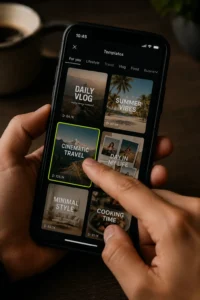
The best apps for making social media videos in 2026 combine fast, template driven mobile editing with growing AI powered features, letting creators go from raw footage to a polished, platform ready video in minutes rather than hours. Which app counts as “best” depends heavily on how you actually work, whether that means quick phone only edits between errands, AI generated clips built from a script, or more controlled desktop editing for a brand’s content calendar.
If you are trying to find the best apps for making social media videos in 2026, this guide breaks the category down by how creators actually use these tools, covering mobile editors, AI video tools, design platforms, professional software, and the platform native apps built directly into Instagram and TikTok.
Why the Right App Matters More Than Ever in 2026
Social media video has shifted dramatically over the past few years, and 2026 has brought another wave of change. AI video generation has matured to the point where entire clips can be created from a script or prompt, while traditional editors have added their own AI features like auto captions, silence removal, and beat syncing directly into the timeline. At the same time, most working creators are not relying on a single app anymore. Content creation today typically breaks into a handful of separate jobs, planning, filming, editing, design, and publishing, each handled by a different specialized tool, with most creators running three to five apps in their regular workflow rather than searching for one app that does everything.
This matters because choosing “the best app” really means choosing the best app for a specific part of that workflow, not a single universal winner.
Best Mobile Apps for Quick, On the Go Editing
CapCut
CapCut remains one of the most widely used apps for short form video editing heading into 2026, largely because its templates, effects, and export presets are built specifically around vertical, short form formats like Reels and TikTok. A large template library lets creators apply a polished style to raw footage in minutes, and built in features like auto captions and trending effects make it especially fast for high volume posting. A free tier covers most everyday needs, while a paid tier removes watermarks and unlocks premium templates.
InShot
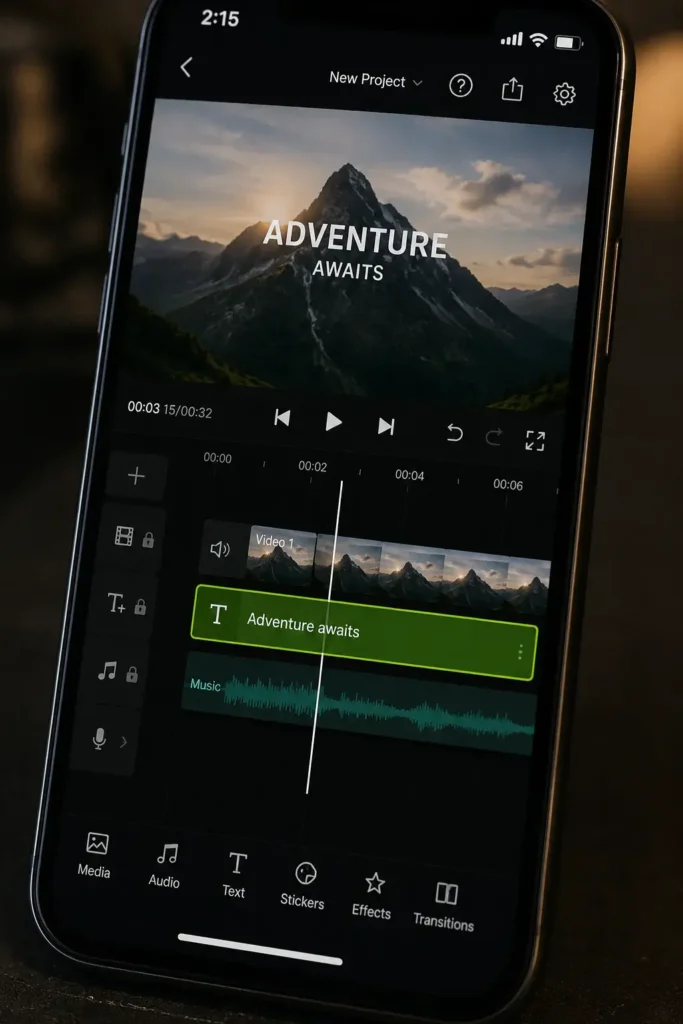
InShot focuses on simplicity over depth, offering a clean interface for trimming clips, layering music, adjusting speed, and adding text without a steep learning curve. It works well across both short form social clips and slightly longer formats, making it a solid choice for creators who want a video ready to publish within just a few minutes.
VN (VlogNow)
VN has built a loyal following specifically because it offers a surprisingly advanced feature set for a free, watermark free mobile editor, including multi track timelines, keyframing, and speed curves, with export options up to high resolution and frame rates. It works across phones, tablets, and even desktop, making it a strong pick for creators who want more creative control without paying for a traditional professional suite.
Splice
Splice is built specifically as a fast, mobile first editor for short form storytelling on platforms like TikTok, Reels, and YouTube Shorts, combining a straightforward timeline with built in music tools and social ready export presets. It works particularly well for creators who want a dependable daily editor without juggling a long list of advanced features they rarely use.
Platform Native Editing Apps
Meta’s Edits App
Edits is Meta’s own short form editing app, built specifically for creators whose primary audience lives on Instagram and Facebook. It includes features like green screen effects, AI animation tools, and real time account statistics directly inside the app, giving creators a direct, integrated path from editing to publishing on Meta’s platforms. The trade off is a degree of ecosystem lock in, since the app is closely tied to Meta accounts and distribution, making it less ideal as a sole editor for creators who also publish heavily to TikTok or YouTube.
AI Powered Video Tools Reshaping Content Creation
Artificial intelligence has moved from a minor feature to a central part of how many creators now produce social media video.
AI Video Generators
A new generation of text to video and AI video generation tools can now produce usable clips directly from a written prompt or script, dramatically cutting down the time between an idea and a finished video. These tools are particularly useful for repurposing written content into video, generating B roll style footage without filming anything, or quickly testing a concept before committing to a full production. This category has moved quickly, with new and updated models reshaping what is possible nearly every few months, so it is worth checking current capabilities before committing to one platform long term.
Descript
Descript takes a distinctive approach built around text based editing, meaning you edit a video by editing its transcript, and the corresponding clip updates automatically. This makes it especially strong for talking head content, podcast clipping, and any format where spoken word is the main driver of the video. It also includes AI voice tools for cleaning up narration without rerecording.
Wondershare Filmora
Filmora blends a traditional timeline based editor with a growing set of AI features, including automatic silence detection for tighter cuts, audio to video tools for turning podcast recordings into social ready clips, and beat synced editing for matching cuts to music. A library of templates and customizable brand kits also helps creators keep a consistent look across multiple videos.
Clip Repurposing Tools
A newer category of tools focuses specifically on turning one long video, such as a podcast episode or livestream, into multiple short clips formatted for different social platforms. These tools can save significant time for creators who already produce longer form content and want to extend its reach into short form feeds without manually re editing each clip by hand.
Best Design Focused Tools for Social Media Video
Canva
Canva has expanded well beyond static graphic design into a genuinely capable video creation tool, offering branded templates, simple text animation, and a built in stock video library, all while keeping a consistent visual identity through saved brand kits. This makes it especially useful for small businesses and marketers who are managing both static graphics and video content from a single platform, since the same brand assets carry across every format.
Adobe Express
Adobe Express offers a similarly approachable, template driven experience aimed at quick, polished social content, with the added advantage of connecting into the broader Adobe ecosystem for creators who also use tools like Photoshop or Premiere.
Best Apps for More Advanced or Professional Editing
Adobe Premiere Pro
Premiere Pro remains a leading choice for teams and creators who need fine grained control over color, audio, and complex multi clip projects, particularly when content needs to integrate with other Adobe Creative Cloud tools. Its learning curve and cost make it less practical for someone who only occasionally posts simple clips, but it remains a strong choice for media teams and serious content creators producing video at scale.
Final Cut Pro
Final Cut Pro is built specifically for macOS and is a natural fit for creators already working within the Apple ecosystem. Its one time purchase pricing, rather than an ongoing subscription, can offer strong long term value, especially for individuals and small teams who edit frequently.
DaVinci Resolve
DaVinci Resolve stands out by offering a genuinely professional grade feature set, including advanced color correction, at a price point far below most comparable software, with a capable free tier that covers a significant share of what most creators need.
iMovie
iMovie remains a dependable, beginner friendly option for creators already in the Apple ecosystem who want simple transitions, basic audio editing, and direct sharing to social platforms without a steep learning curve.
How to Choose the Right App for Your Workflow
Consider Your Device and Editing Environment
If most of your editing happens directly on your phone between filming and posting, a mobile first app like CapCut, InShot, VN, or Splice will almost always feel faster and more natural than trying to force a desktop workflow onto a small screen.
Consider Your Content Format
Talking head content and podcast clips benefit significantly from text based editors like Descript, while heavily visual, trend driven short form content tends to benefit more from template heavy apps like CapCut or Splice.
Consider Your Need for Brand Consistency
Creators and businesses focused on a consistent visual identity across many pieces of content often benefit from a design centered platform like Canva, since saved brand kits make it easy to keep fonts, colors, and templates aligned across every video.
Consider How Much Time You Actually Have
If your editing time is limited to a few minutes per video, prioritize apps with strong template libraries and automatic features like auto captions, since these save far more time than advanced manual controls you may never fully use.
Consider Your Publishing Workflow
If you regularly publish the same video across multiple platforms, pairing your editing app with a scheduling tool can save as much time as the editor itself, since it removes the need to manually resize and re upload content for each individual platform.
Features Worth Prioritizing in Any Video Editing App
A genuinely useful app for social media video in 2026 tends to share a few common features. Automatic captioning has become close to essential, since a large share of viewers watch with sound off and captions noticeably improve watch time. Export presets matched to common social formats, vertical for Reels and TikTok, square for feed posts, and landscape for YouTube, save real time compared to manually resizing every video. AI assisted editing features, such as silence removal, auto reframing, or beat synced cuts, increasingly separate apps that feel modern from those that feel dated. Finally, a reasonably current template library matters more than most people expect, since trends move quickly and an app that stops updating its templates becomes noticeably less useful within just a few months.
Tips for Getting Better Results From Any App You Choose
Prioritize a Strong Hook
Regardless of which app you use, the first few seconds of a video largely determine whether someone keeps watching, so it is worth spending extra attention on your opening shot or line before worrying about more advanced editing techniques.
Use Captions by Default
Adding captions through your chosen app’s auto caption feature is one of the simplest, highest impact habits a creator can build, since it directly supports both accessibility and watch time.
Keep a Consistent Visual Style
Reusing the same fonts, colors, and transition styles across your content helps build a recognizable identity over time, which matters for both personal creators and businesses trying to stand out in a crowded feed.
Match the Tool to the Platform, Not Just the Footage
A video built for a search driven platform like Pinterest or YouTube often benefits from clear, descriptive text overlays, while a video built for a fast scrolling, algorithm driven feed like TikTok benefits more from quick pacing and a strong opening hook.
Frequently Asked Questions
What is the easiest app for beginners to use for social media videos?
InShot and CapCut are both widely considered approachable starting points, offering simple interfaces alongside enough functionality to produce polished, platform ready videos without a steep learning curve.
Are free video editing apps good enough for social media content?
Yes, several free apps, including CapCut, VN, and DaVinci Resolve’s free tier, offer enough functionality for high quality social media content without requiring a paid subscription, though premium tiers typically remove watermarks and unlock additional templates.
Do I need different apps for different platforms?
Not necessarily, though platform native apps like Meta’s Edits offer tighter integration and built in analytics for their specific platform, which can be convenient if most of your audience lives on Instagram or Facebook specifically.
Are AI video generators replacing traditional editing apps?
Not entirely. AI video generators are increasingly useful for producing certain types of clips quickly, but most creators still combine them with traditional editing tools for finer control, captions, and brand consistent finishing touches.
What app is best for keeping a consistent brand look across content?
Canva tends to work especially well for brand consistency, since saved brand kits, including fonts, colors, and templates, can be reused easily across both video and static graphic content from a single platform.
Final Thoughts
The best apps for making social media videos in 2026 ultimately depend on your specific workflow, whether that means fast, template driven edits on your phone, AI assisted production for talking head or repurposed content, or more advanced control across a desktop suite. Rather than searching for a single universal winner, most successful creators build a small, intentional stack of two or three tools, one for editing, one for design or branding, and one for scheduling, that together cover the full path from raw footage to a published, platform optimized video.

M. Awais Khan is a Business Development and Digital Growth Strategist at SkillsHeaven, specializing in SEO, local search optimization, and performance-driven digital marketing. With experience supporting 100+ businesses, he develops and implements data-driven strategies that help companies increase online visibility, generate qualified leads, and drive sustainable revenue growth. His expertise spans Local SEO, Google Ads, social media marketing, and conversion-focused website optimization, ensuring every project is aligned with measurable business outcomes and long-term success.