You optimize Google Ads performance by combining strong keyword targeting, well written ad copy, a healthy Quality Score, and ongoing data analysis to continuously refine what is working and cut what is not. Rather than treating campaigns as a “set it and forget it” effort, learning how to optimize Google Ads performance means building a regular habit of testing, measuring, and adjusting based on real account data.
If you manage your own campaigns or oversee them for clients, this guide breaks down every major lever you can pull, from Quality Score to ad copy to Shopping and Local Service campaigns, so you can build a clear, repeatable process for improving results over time.
Why Google Ads Performance Requires Ongoing Optimization
Google Ads is an auction based system that constantly shifts based on competitor behavior, seasonality, and changes to the platform itself. A campaign that performs well today can quietly decline a few months later if it is left untouched. This is why knowing how to improve Google Ads performance is not a one time task but an ongoing practice of reviewing data, refining targeting, and improving the elements within your control, such as ad copy, bidding, and landing pages.
Start With a Full Google Ads Account Audit
How to Audit a Google Ads Account
Before making changes, get a clear picture of where your account currently stands. A thorough audit typically includes reviewing account structure, checking which campaigns and ad groups are driving the most spend versus the most conversions, identifying keywords with high spend but low return, and confirming that conversion tracking is set up correctly. Many performance issues trace back to either messy account structure or inaccurate tracking data, so resolving both early prevents wasted effort later on.
How to Analyze Google Ads Data
Once your audit is complete, dig into the data itself. Review metrics like click through rate, conversion rate, cost per conversion, and Quality Score at the keyword and ad group level, not just the campaign level, since averages can hide both strong and weak performers sitting side by side. Segment your data by device, location, and time of day to spot patterns, such as a campaign that performs noticeably better on mobile or during certain hours, since these patterns often reveal where to shift budget for better results.
Understand and Improve Your Quality Score
What Is Quality Score in Google Ads
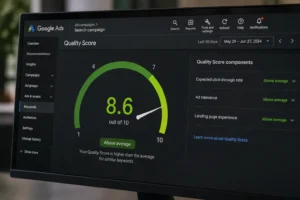
Quality Score is a rating, shown on a scale of 1 to 10, that Google assigns to your keywords based on the expected relevance and usefulness of your ads to people searching that term. It is calculated from three main components: expected click through rate, ad relevance, and landing page experience. A higher Quality Score generally leads to lower costs per click and better ad positions, since Google rewards ads it predicts will perform well for searchers.
How to Improve Quality Score in Google Ads
Improving Quality Score starts with tighter keyword to ad group alignment, meaning each ad group should contain closely related keywords rather than a broad mix of unrelated terms. Write ad copy that directly reflects the keywords in that ad group, and make sure your landing page matches the intent of the ad, loads quickly, and is easy to navigate on mobile. Reviewing and pausing consistently low performing keywords also helps, since these can drag down the average Quality Score across an otherwise strong ad group.
Write Ad Copy That Actually Converts
How to Write Google Ads Copy That Performs
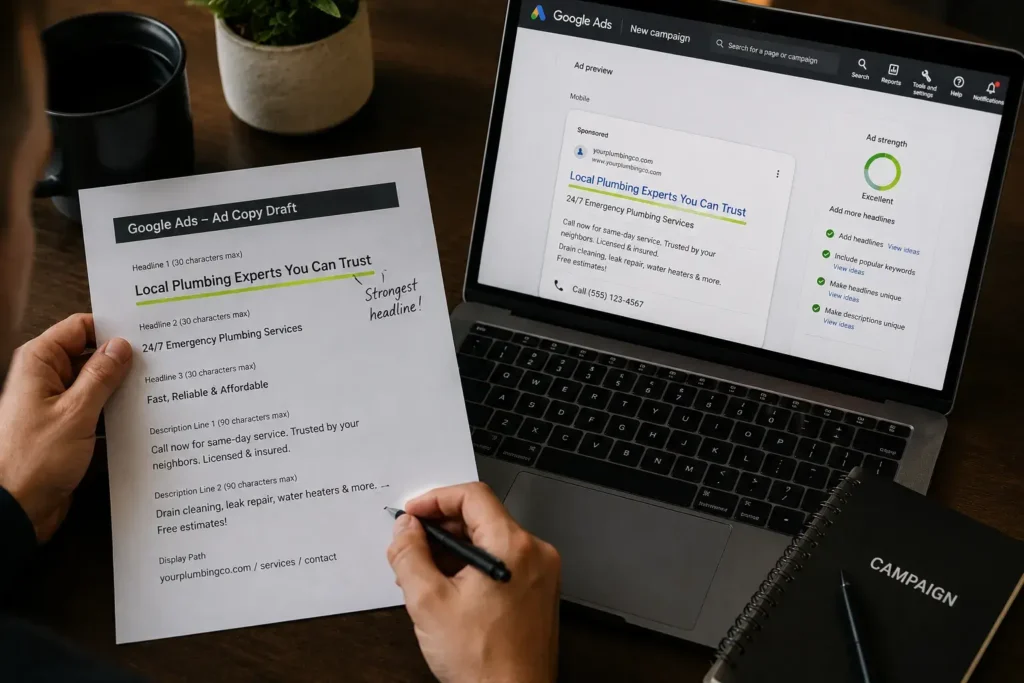
Strong ad copy speaks directly to the searcher’s intent rather than describing your business in general terms. Lead with a clear benefit, include your primary keyword naturally within the headline, and add a specific, action oriented call to action. Highlighting something distinct, such as a guarantee, fast turnaround, or specific pricing detail, helps your ad stand out among several similar looking competitors in the same auction.
How to Write Perfect Google Ads Copy
While no single formula guarantees perfect results every time, the strongest performing ads tend to share a few traits: they address a specific pain point, use language that matches how the audience actually searches, include numbers or specifics where possible, and test multiple headline and description combinations rather than relying on a single version. Testing is the real key here, since even experienced advertisers cannot always predict which exact phrasing will outperform another without running it in front of real searchers.
How to Write Ads for Google AdWords (Now Google Ads)
Many advertisers still search using the platform’s older name, AdWords, though the process for writing strong ads remains the same today. Focus on relevance between the keyword, the headline, and the landing page, keep messaging concise within character limits, and use ad extensions like sitelinks, callouts, and structured snippets to give your ad more visible real estate on the results page.
Use the Right Metrics as Performance Benchmarks
What Is a Good CTR for Google Ads
Click through rate, or CTR, benchmarks vary by industry, but a generally healthy search campaign CTR tends to fall somewhere between 3 and 6 percent, with some highly relevant, well optimized campaigns performing even higher. Comparing your CTR against your own historical performance and your specific industry average is more useful than relying on one universal number, since intent and competition levels vary significantly across industries.
What Is a Good Click Through Rate for Google Ads
This is essentially the same metric referenced above, and the same benchmark logic applies. A click through rate noticeably below your account average or industry norm often signals weak ad relevance, poor keyword to ad alignment, or an ad position issue worth investigating further.
What Is a Good Conversion Rate for Google Ads
A solid conversion rate also varies widely by industry and campaign type, though many search campaigns aim for somewhere in the range of 3 to 5 percent as a reasonable benchmark, with lead generation campaigns sometimes performing notably higher. Rather than chasing a generic benchmark, track your own conversion rate over time and treat any significant drop as a signal to review your landing page, offer, or targeting.
What Are Impressions on Google Ads
Impressions represent the number of times your ad was shown to someone, regardless of whether they clicked on it. Reviewing impressions alongside CTR helps you understand whether a low click volume is due to limited visibility, meaning your ad simply is not being shown enough, or due to weak relevance, meaning it is shown often but fails to earn clicks.
Optimize Specific Campaign Types
How to Optimize Google Shopping Ads
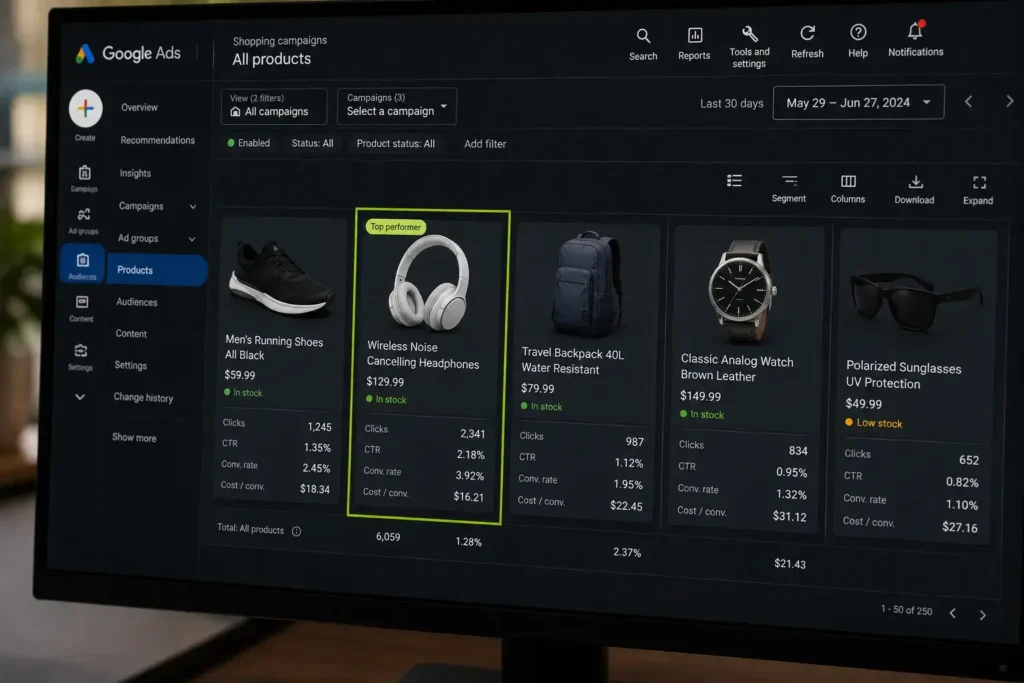
Shopping ads rely heavily on your product feed quality rather than traditional keywords, so optimization starts with clear, detailed product titles, accurate categorization, high quality images, and competitive, up to date pricing. Reviewing search term reports for Shopping campaigns regularly helps you add negative keywords for irrelevant searches and identify new opportunities worth bidding on directly.
How to Optimize Google Local Service Ads
Local Service Ads depend significantly on your business profile completeness, customer reviews, and responsiveness to leads. Keeping your profile fully updated, responding quickly to incoming leads, and actively encouraging satisfied customers to leave reviews all directly influence how often and how prominently your ad appears for relevant local searches.
Outperform Competing Advertisers in the Auction
How to Outrank Your Competition in Google Ads
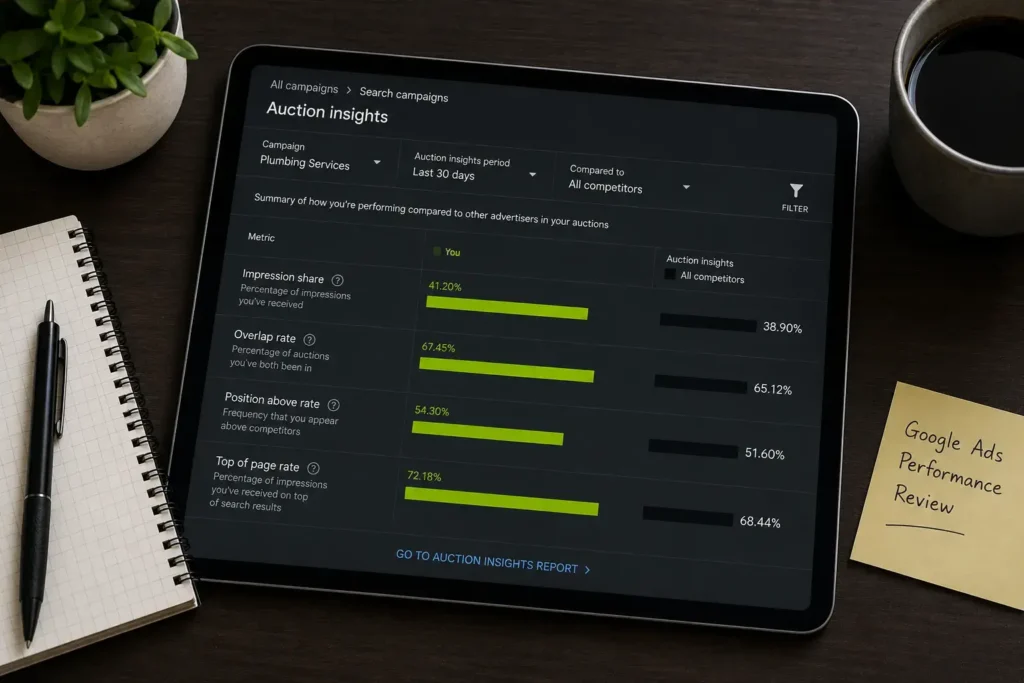
Outranking competitors consistently comes down to a combination of a strong Quality Score, relevant and compelling ad copy, and a competitive bid, rather than simply outbidding everyone in every auction. Reviewing the Auction Insights report regularly shows exactly how often your ads appear above specific competitors, giving you a clear, ongoing benchmark to measure improvement against as you refine your campaigns.
Build a Repeatable Process to Optimize Google Ads Performance
Sustained improvement comes from treating optimization as a regular habit rather than a one time project. A simple, repeatable weekly or biweekly process might include reviewing search term reports for new keyword opportunities and negatives, checking Quality Score trends across key ad groups, testing new ad copy variations, and reviewing conversion data to confirm budget is flowing toward your best performing campaigns. This consistent rhythm is ultimately what separates accounts that steadily improve from accounts that quietly stagnate over time.
Frequently Asked Questions
How often should I check my Google Ads performance?
Most advertisers benefit from reviewing key metrics weekly, with a deeper, more thorough analysis monthly to catch longer term trends that daily fluctuations can obscure.
What is the biggest factor in improving Google Ads performance?
Quality Score tends to have one of the broadest effects, since it directly influences both your cost per click and your ad position, and it is shaped by ad relevance, expected CTR, and landing page experience together.
Does a higher budget always improve Google Ads performance?
Not necessarily. A higher budget can amplify results from a well optimized campaign, but it will not fix underlying issues like poor ad relevance, weak landing pages, or incorrect targeting.
How long does it take to see improvement after optimizing a campaign?
Many changes show early signals within one to two weeks, though Google’s algorithm typically needs a few weeks of consistent data to fully reflect the impact of significant optimization changes.
Final Thoughts
Learning how to optimize Google Ads performance comes down to a steady, evidence based process: auditing your account, understanding and improving your Quality Score, writing ad copy that genuinely speaks to searcher intent, and consistently analyzing performance data to guide every adjustment you make. Applied consistently across Search, Shopping, and Local Service campaigns, this approach builds the kind of compounding improvement that keeps outperforming competitors who treat their accounts as a one time setup rather than an ongoing process.

M. Awais Khan is a Business Development and Digital Growth Strategist at SkillsHeaven, specializing in SEO, local search optimization, and performance-driven digital marketing. With experience supporting 100+ businesses, he develops and implements data-driven strategies that help companies increase online visibility, generate qualified leads, and drive sustainable revenue growth. His expertise spans Local SEO, Google Ads, social media marketing, and conversion-focused website optimization, ensuring every project is aligned with measurable business outcomes and long-term success.