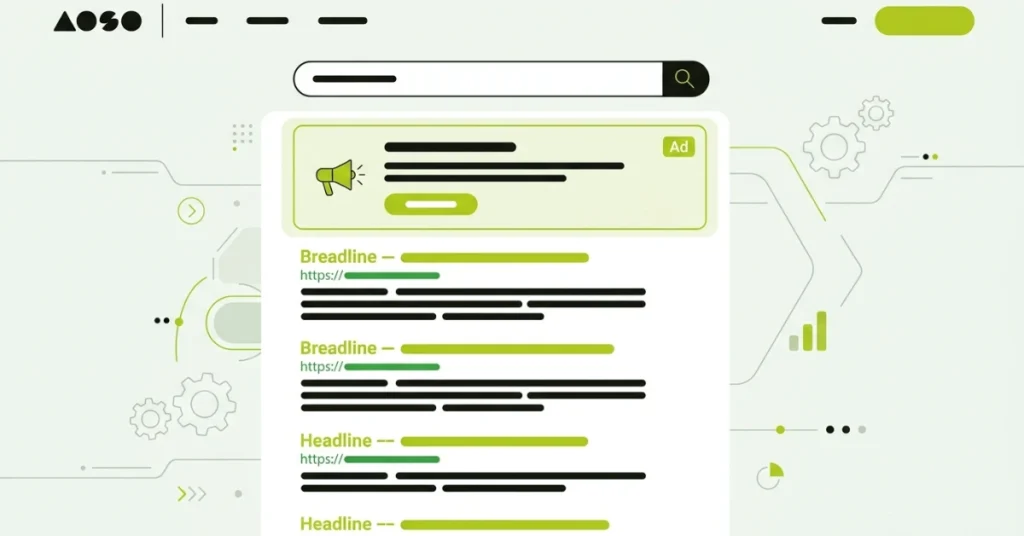
“Google Ads is Google’s online advertising platform, and understanding what is Google Ads starts with knowing how it connects businesses with people searching for their products. If you have ever searched for something on Google and noticed a small “Sponsored” label above the regular results, you already know what a Google ad looks like in action. At SkillsHeaven, this is exactly the kind of foundation we help businesses build on before scaling into full campaigns.”
This guide answers the question simply and clearly. You will learn how the platform works, where your ads can show up, what they look like, and whether it costs anything to get started.
Google Ads is an online advertising platform built by Google. It lets businesses create ads that appear on Google search results, YouTube, and partner websites. Advertisers choose keywords, set a budget, and pay only when someone clicks or interacts with their ad. Google then displays the most relevant ads to people searching for related products or services.
What Is Google Ads?
So what is Google Ads exactly? It is a system that lets any business, large or small, create paid ads and show them to people searching for related terms on Google. Instead of waiting for organic traffic to grow, you can place your business right in front of someone who is actively looking for what you sell.
The platform runs on a pay-per-click model for most ad types. You pay a small fee every time someone clicks your ad, not just for showing it. This makes Google Ads a flexible option because you only spend money when there is real interest.
You also stay in full control. Pick your own keywords, write the ad text, and decide how much to spend each day. There is no fixed contract and no required minimum spend.
Google Ads vs Google AdWords
Google Ads used to be called Google AdWords. The platform got renamed in 2018, but the core system stayed the same. If you read an older article that mentions AdWords, it is talking about the same tool you would use today under the name Google Ads.
How Does Google Ads Work?
Google Ads works through a live auction that happens every time someone searches on Google. Advertisers choose keywords related to their business, and Google checks which advertisers are bidding on the keyword someone just searched.

Each ad then gets a quality score based on how relevant and useful it is. Google combines this score with your maximum bid to calculate something called Ad Rank. The ad with the strongest ad rank usually wins the best position on the page.
“This setup means a smaller business with a relevant, well written ad can sometimes beat a bigger company that bids more money. Google rewards relevance, not just budget size. Choosing the right keywords plays a big role here, and our Google Ads keywords strategy guide breaks this down further if you want to go deeper.”
How Does Google Ads Provide Control Over Your Budget?
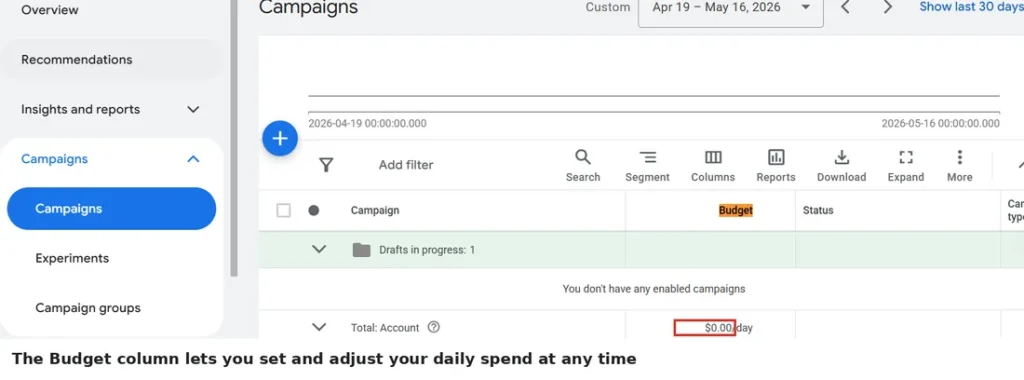
Google Ads gives you direct control over how much you spend and when you spend it. You set a daily budget, and Google will not exceed it by much, even on busy days. Pausing, adjusting, or stopping your campaign is possible at any time, with no penalty.
You also choose your own maximum bid for each keyword. If a keyword feels too costly for your goals, you can lower your bid or remove it entirely. This level of control works well for new advertisers who want to test the platform with a small budget before scaling up.
Where Do Google Ads Appear?
Google ads appear across several places, not just the search results page. Here are the main locations.
- Google search results, above or below the organic listings
- The Google Display Network, which includes millions of partner websites
- YouTube, before, during, or after videos
- Gmail, inside the Promotions tab
- The Google Shopping tab, for product-based searches
- Google Play, for app-related ads
Because the network reaches so many surfaces, your ad can follow potential customers across different parts of their day, not only while they search.
What Does a Google Ad Look Like?
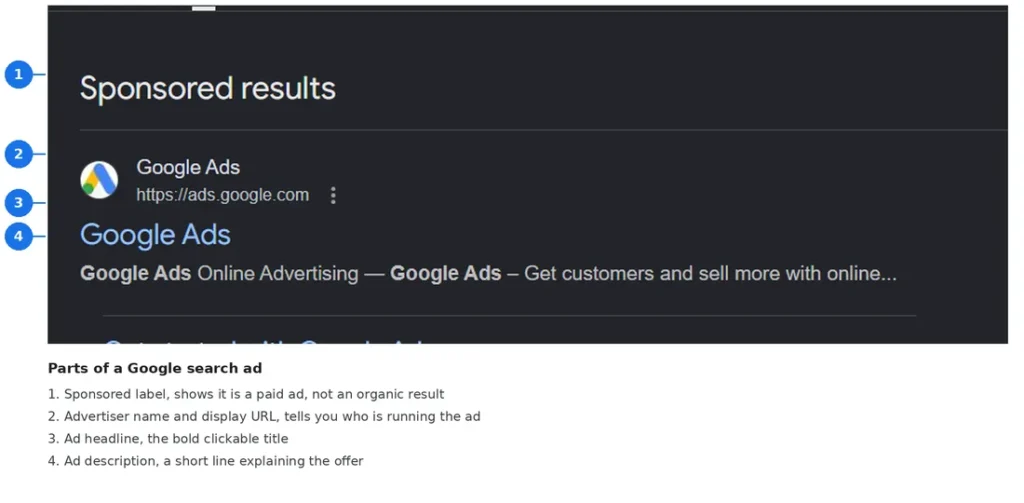
A typical Google search ad looks almost identical to a regular search result, with one key difference. It carries a small “Sponsored” label near the top, so people know it is a paid placement. This page is officially called the SERP, or search engine results page, and understanding its layout helps explain why ads and organic results look so similar.
Below that label, you will usually see a bold headline, a short description, and the website’s display URL. Many ads also include extra details called extensions, such as a phone number, a list of page links, or a short list of services. These extensions give the searcher more reasons to click without leaving the search results page.
Types of Google Ads
Google Ads supports several ad formats, each suited to a different goal.
Search Ads
Search ads show up on the Google search results page when someone types in a related keyword. They work well for capturing people who already know what they want.
Display Ads
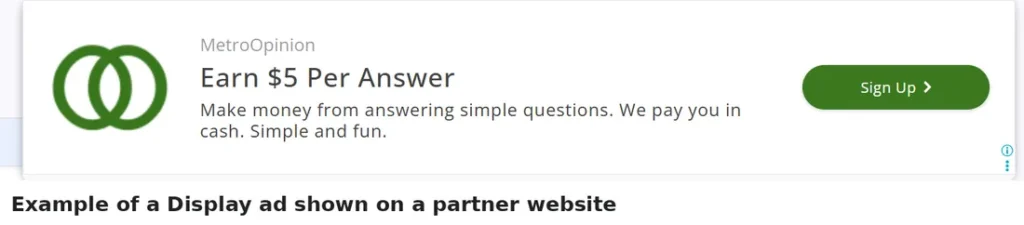
Display ads appear as banners or visual ads across the Google Display Network. They use images or simple animations and reach people based on their interests, not just a search term.
Shopping Ads
Shopping ads show product images, prices, and store names directly inside the search results. They pull this information from your product catalog rather than from keywords you choose.
Video Ads
Video ads run on YouTube. They can play before a video starts, in the middle of one, or after it ends, and they often combine visuals with sound to tell a quick story about your product.
App Ads
App ads promote a mobile app across Google Search, YouTube, Google Play, and the Display Network. You provide text, images, and video, and Google automatically builds different ad combinations to test what performs best.
Is Google Ads Free?
Creating a Google Ads account costs nothing. You can sign up, build a campaign, and explore the dashboard without paying any setup fee or subscription cost.
The cost comes from your actual ad spend. You pay only when someone clicks your ad or, in some cases, when your ad reaches a certain number of views. Your daily budget stays fully in your control, so the total cost remains within whatever limit you set.
What Is a Google Ads Manager Account?
A Google Ads Manager Account, often called an MCC, lets you view and manage several Google Ads accounts from one single login. This is especially useful for agencies and businesses running more than one account, since it removes the need to log in and out repeatedly.
It is worth noting that this is different from Google Ad Manager, which is a separate product built for publishers who sell ad space on their own websites or apps. A manager account is for advertisers managing their own campaigns, while the publisher tool serves a completely different purpose. If you want a full walkthrough, our Google Ads Manager Account setup guide covers the entire process step by step.
Why Businesses Use Google Ads
Businesses choose Google Ads because it delivers fast visibility. Unlike organic search growth, which can take months, an ad campaign can start showing results within hours of launching.
The platform also provides clear, measurable data. You can track clicks, conversions, and cost per result, then adjust your strategy based on real numbers instead of guesswork. This makes budget planning much easier for both small businesses and larger teams. If managing this yourself feels like too much, our Google Ads management service in Dubai handles the entire process for you.
Key Takeaways
- Google Ads is Google’s advertising platform that displays ads across search, YouTube, and partner sites
- The platform combines your bid with a Quality Score to decide which ads appear and where
- Setting up an account is free, and you only pay when someone interacts with your ad
- A Google Ads Manager Account helps manage multiple accounts from one login, and it is different from the publisher tool called Google Ad Manager
- Businesses use Google Ads for fast visibility and clear, measurable results
FAQs About What Is Google Ads
What is Google Ads?
Google Ads is an online advertising platform built by Google. It lets businesses create and run ads on search results, YouTube, and partner websites, paying mostly through a pay-per-click model.
What is the difference between Google Ads and Google AdWords?
There is no real difference. Google AdWords was the original name of the platform until Google renamed it Google Ads in 2018. The features and account structure carried over.
Is Google Ads free to use?
Yes, creating an account and setting up a campaign costs nothing. You only pay when someone clicks your ad or takes another billable action, based on the budget you set.
How does Google Ads work?
Google Ads runs an auction every time someone searches a relevant keyword. It combines your bid with a Quality Score to calculate Ad Rank, which decides your ad’s position on the page.
Where do Google ads appear?
Google ads can appear on the search results page, across the Google Display Network, on YouTube, inside Gmail, in the Google Shopping tab, and on Google Play.
What does a Google ad look like?
A Google ad usually looks like a regular search result with a small “Sponsored” label. It includes a headline, a short description, a display URL, and sometimes extra details called extensions.
What is a Google Ads Manager account?
A Google Ads Manager account, also called an MCC, lets you manage multiple Google Ads accounts from one login. It is different from Google Ad Manager, which is a separate tool for publishers.
What types of Google ads are there?
The main types are search ads, display ads, shopping ads, video ads, and app ads. Each format targets a different part of the Google network and a different stage of the buyer’s journey.

M. Awais Khan is a Business Development and Digital Growth Strategist at SkillsHeaven, specializing in SEO, local search optimization, and performance-driven digital marketing. With experience supporting 100+ businesses, he develops and implements data-driven strategies that help companies increase online visibility, generate qualified leads, and drive sustainable revenue growth. His expertise spans Local SEO, Google Ads, social media marketing, and conversion-focused website optimization, ensuring every project is aligned with measurable business outcomes and long-term success.