

You add SEO keywords in a website by placing your target keyword and its close variations in key spots like the title tag, meta description, URL, headings, the first paragraph, image alt text, and naturally throughout the body content, without repeating it so often that it feels forced. Done correctly, this helps search engines understand exactly what each page is about while keeping the content easy and pleasant to read for real visitors.
If you are trying to figure out how to add SEO keywords in website pages you are building or already have live, this guide walks through every placement that matters, plus how to check your work once it is done.

Why Adding SEO Keywords the Right Way Matters
Search engines rely on the words on your page to understand its topic and decide which queries it deserves to rank for. When you know how to add SEO keywords in website content correctly, you give Google clear signals about relevance while also helping visitors quickly confirm they have landed on the right page. This combination of clarity for both search engines and humans is what supports stronger rankings over time.
5 Steps to Add SEO Keywords in Website Pages
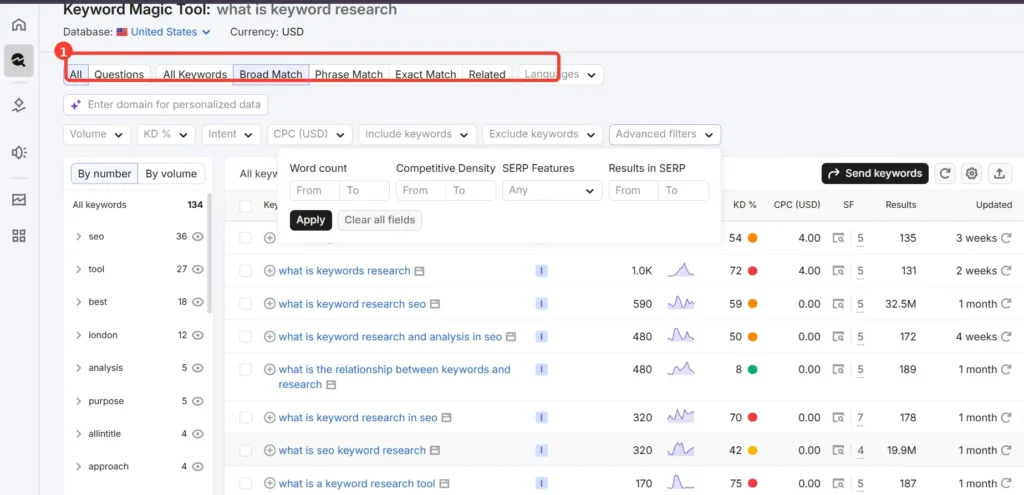
Start With Solid Keyword Research
Before placing any keyword, confirm it is actually worth targeting. Use tools like Google Keyword Planner, Google Search Console, or free tiers of Ubersuggest to find your primary keyword along with a short list of related terms and questions people search for. This research becomes the foundation for every placement step below.
Add the Keyword to Your Title Tag
Your title tag is one of the strongest signals for both search engines and click through rate. Place your primary keyword near the beginning of the title whenever it reads naturally, since this is one of the clearest ways search engines confirm topical relevance.
Add the Keyword to Your Meta Description
While the meta description does not directly influence rankings, including your keyword here helps it appear bolded in search results, which can improve click through rate. Keep the description clear, benefit focused, and within roughly 150 to 160 characters.
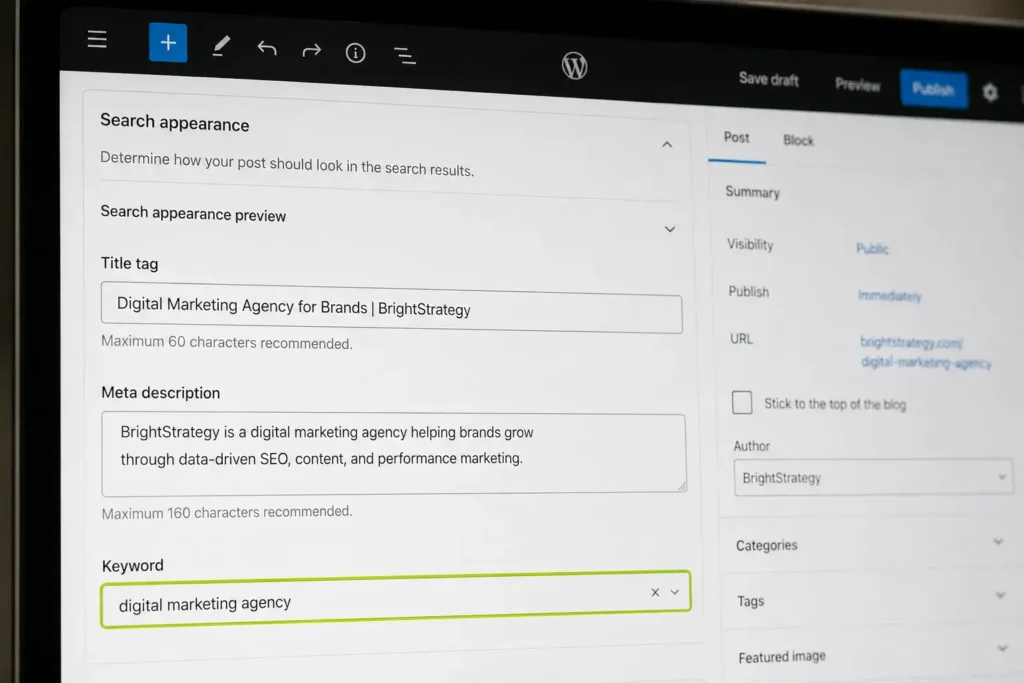
Add the Keyword to Your URL Slug
A short, descriptive URL that includes your primary keyword makes the page easier for both search engines and visitors to understand at a glance. Keep slugs concise and skip filler words that add length without adding meaning.
Add the Keyword to Your H1 and Subheadings
Your H1 should clearly reflect the main keyword, and subheadings throughout the page are a natural place to include keyword variations and related questions. This structure also makes long pages easier to scan, which keeps visitors on the page longer.

Add the Keyword Early in Your Body Content
Mention your primary keyword within the first paragraph so both readers and search engines immediately understand what the page covers. From there, continue using the keyword and its variations naturally throughout the content rather than only at the top.
Add the Keyword to Image Alt Text
Whenever an image is genuinely relevant to your keyword topic, describe it accurately in the alt text using natural language. This supports image search visibility and accessibility at the same time.
Add the Keyword to Internal Link Anchor Text
When linking to other relevant pages on your site, use descriptive anchor text that includes related keywords instead of generic phrases like “click here.” This helps search engines understand the relationship between your pages.
How to Use SEO Keywords in Website Content Naturally
Knowing how to use SEO keywords in website content well means writing for real readers first and weaving keyword variations into that writing, rather than starting with a keyword list and forcing every term in. Search engines today understand synonyms, related entities, and the overall topic of a page, so covering a subject thoroughly in natural language tends to perform better than repeating one exact phrase many times. Focus on answering the questions your audience is actually asking, and the right keywords will appear in your content organically as a result.
How to Put SEO Keywords in Website Pages You Already Have Live
If you are updating an existing page rather than starting fresh, the same placements apply. Review your current title tag, meta description, headings, and body content, then update each one to include your target keyword more clearly where it currently reads vague or generic. This process of refreshing older pages with stronger keyword targeting is one of the simplest ways to improve their performance without creating new content from scratch.
How to Check Website SEO Keywords
Once your keywords are in place, confirm everything is set up correctly. Google Search Console shows which queries your page is actually appearing for and how it ranks for each one, which tells you whether your keyword strategy is working as intended. Free browser extensions like Detailed SEO Extension or SEO Meta in 1 Click let you instantly view a page’s title tag, meta description, and heading structure without digging through the source code.
How to Check SEO Keywords of a Website
Sometimes the goal is to check seo keywords of a website you do not manage, whether that is your own older page or simply a page you want to learn from. Viewing the page source (right click and select “View Page Source” or “Inspect”) reveals the title tag, meta description, and heading tags directly. Free tools also let you paste in any URL to instantly see its target keywords, estimated traffic, and ranking positions. Reviewing pages this way can give you fresh content ideas and a sense of which terms are worth targeting, as long as anything you create afterward is written fully in your own words.
A Few Things to Keep in Mind for Better Results
Keyword placement works best when it stays natural and reader friendly. Repeating the exact same phrase excessively can make content harder to read and offers little additional benefit once a keyword is clearly established on a page. Prioritizing clear, helpful writing while including your keyword and its variations in the placements above tends to produce stronger, longer lasting results.
Frequently Asked Questions
How many times should I use my keyword on a page?
There is no fixed number. Focus on natural placement in the title, headings, first paragraph, and a few times throughout the body, letting the topic’s overall depth guide how often related terms appear.
What is the difference between adding and using SEO keywords?
Adding keywords typically refers to specific placements like the title tag or URL, while using keywords naturally throughout your writing reflects an ongoing approach to covering a topic thoroughly in your own voice.
Can I check which keywords my website already ranks for?
Yes, Google Search Console shows the exact queries your pages currently rank for, along with clicks, impressions, and average position for each one.
Where is the most important place to add a keyword?
The title tag and the first paragraph tend to carry the most weight, since both search engines and readers rely on them to quickly confirm what the page is about.
Final Thoughts
Learning how to add SEO keywords in website pages comes down to consistent, natural placement across your title tag, meta description, URL, headings, and body content, paired with regular checks using tools like Google Search Console to confirm your approach is working. Keep the experience genuinely helpful for your readers first, and strong keyword visibility will follow as a natural result.

M. Awais Khan is a Business Development and Digital Growth Strategist at SkillsHeaven, specializing in SEO, local search optimization, and performance-driven digital marketing. With experience supporting 100+ businesses, he develops and implements data-driven strategies that help companies increase online visibility, generate qualified leads, and drive sustainable revenue growth. His expertise spans Local SEO, Google Ads, social media marketing, and conversion-focused website optimization, ensuring every project is aligned with measurable business outcomes and long-term success.