The best social media scheduling tools for small business owners share three core qualities: an easy to use content calendar, support for multiple platforms from one dashboard, and a free or affordable plan that does not require a long term contract. Choosing the right scheduling tool comes down to matching it against how many platforms a business uses, how often it posts, and how many people are involved in managing that content.
Posting consistently is one of the simplest ways a small business builds trust with its audience, yet it is also one of the first habits that slips once daily operations get busy. A scheduling tool solves that gap by letting an owner or a small marketing team plan a week or a month of posts in one sitting, then let the calendar handle publishing across every platform automatically.
What Makes a Social Media Scheduling Tool Worth Using
A scheduling tool earns its place in a small business workflow when it removes manual work without adding a learning curve. The strongest tools for small teams share a few qualities.
Multi platform publishing lets one post go out to Facebook, Instagram, LinkedIn, TikTok, and Google Business Profile from a single dashboard, instead of logging into five separate apps every day, a feature most comprehensive scheduling tool comparisons treat as a baseline requirement.
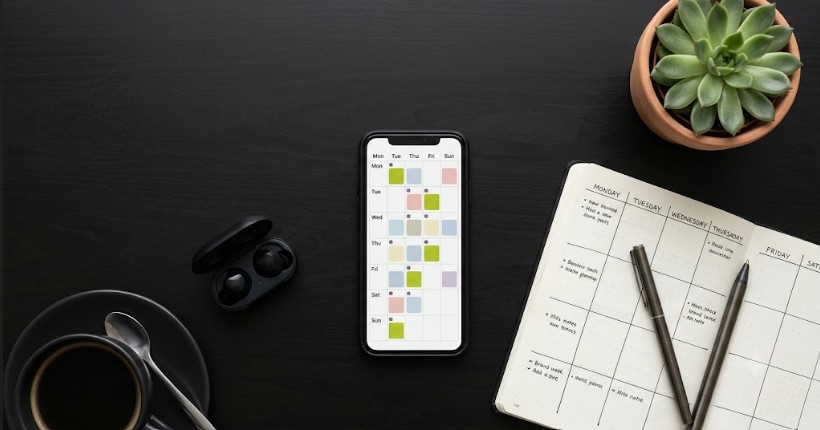
A visual content calendar gives a clear view of what is scheduled, what is still in draft, and where the gaps are for the week or the month ahead.
Built in analytics show which posts earned the most engagement, which times performed best, and where to adjust the content scheduling pattern going forward.
Team collaboration features, even basic ones like draft approval or shared calendars, matter once more than one person touches the account, whether that is an owner and a hired social media manager or a small in house marketing team.
A genuinely useful free plan matters most for small businesses in growth mode, since budget usually goes toward product, service delivery, or paid ads before it goes toward marketing software.
Free Social Media Management Tools vs Paid Plans
Many small businesses start with free social media management tools, and for a single platform or a slow posting cadence, that is often enough. Free tiers typically cap the number of scheduled posts per month and limit how many accounts can be connected, a pattern that shows up consistently across reviews of scheduling tools with free plans.
The shift to a paid plan usually happens for one of three reasons: more than three social accounts need to be managed, the business wants deeper analytics to guide content decisions, or a team has grown large enough that approval workflows and shared calendars become necessary. Until those needs show up, a strong free plan from a post planner style tool is a reasonable starting point for most small businesses.
Automation Tools and Why Timing Still Needs a Human Eye
Automation tools have become a standard part of social media management, and the best ones now suggest optimal posting times based on when an audience is actually active, an approach several established platforms have built entire features around. This kind of automation saves real time, particularly for a small business owner who is also handling sales calls, client work, and day to day operations.
Automation works best as a support system rather than a replacement for strategy. A scheduling tool can publish a post at the right hour, but it cannot decide what that post should say about a new menu item, a seasonal promotion, or a community event relevant to a Dubai or Sharjah audience. The most effective small business accounts treat automation tools as the engine for consistency, while keeping a person in charge of voice, offers, and local relevance.

How We Approached Comparing the Top Tools
Before recommending an approach, we looked closely at how the leading platforms in this space position themselves, drawing on detailed breakdowns like Technology Advice’s scheduler comparisons and The CMO’s tool by tool analysis, to understand what features actually matter to small business users versus what gets buried in marketing copy. A few patterns showed up consistently across the tools that rank well and get recommended most often for small business use.
The tools that consistently get recommended for small businesses tend to lead with simplicity over feature count. A shorter list of well executed features, such as a clean calendar, straightforward multi platform posting, and one click scheduling, outperforms tools that pack in advanced reporting a small team will rarely open. Free social media management tools that succeed in this space usually offer enough scheduled posts per month to cover a realistic posting cadence, not just a token trial.
Pricing structures also vary in ways that matter. Some tools charge per connected social channel, which adds up quickly for a business managing five or six accounts. Others charge per user, which works better for a small team sharing one set of accounts. Reviewing how a tool prices itself against your actual number of platforms and team members avoids paying for capacity that goes unused.
Analytics depth is another differentiator. Some post planner tools focus almost entirely on scheduling and offer only basic engagement numbers, while others build in full reporting on reach, demographics, and content performance. For a small business that wants to use data to refine its content scheduling decisions, this is worth weighing against the simplicity a smaller tool offers.
Choosing the Right Tool for Your Business Size
Solo owners and very small teams generally do best with a straightforward post planner that covers two or three platforms, has a clean interface, and offers a workable free plan. The goal at this stage is consistency, not advanced reporting.
Growing small businesses with a marketing person or small team benefit from tools that add basic collaboration, more scheduled posts per month, and slightly deeper analytics, without jumping all the way to enterprise pricing.
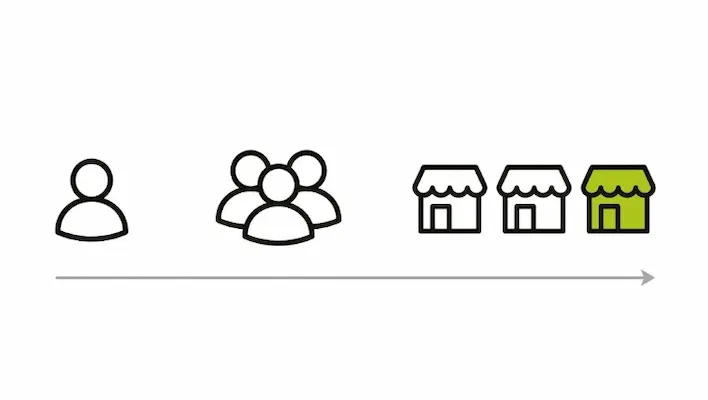
Multi location or multi brand small businesses, such as a chain of clinics, a multi branch service business, or a franchise, tend to need tools built for managing several Google Business Profile listings and social accounts side by side, since visibility on Google Maps becomes just as important as the social feed itself.
Why Social Media Scheduling Alone Is Not a Full Strategy
A scheduling tool keeps posts going out on time, but it does not write the content, decide the offer, or connect that post to a wider local SEO and lead generation plan. Many small businesses post consistently for months on a good schedule and still see limited results, simply because the content itself was not built around what their actual customers search for or respond to.
This is where pairing a scheduling tool with a real social media marketing strategy makes the difference. A scheduling tool handles the calendar, but a content strategy decides what goes on that calendar in the first place, from platform specific copy to a posting rhythm that ties back into a business’s broader digital marketing plan. When scheduling and strategy work together, every post supports a larger goal, whether that is more bookings, more calls, or more foot traffic, instead of existing as a disconnected task on a calendar.

Wali Shah is the Founder and CEO of SkillsHeaven, a digital growth agency specializing in Local SEO, Google Ads, and conversion-focused website development. With over 8+ years of experience, he has helped scale 170+ businesses, including 93+ limousine companies globally, by building structured, lead-generating digital systems. His expertise spans local search optimization, paid media strategy, and high-performance website development, all aligned with measurable business growth. Known for a data-driven and ethical approach, Wali focuses on creating scalable marketing systems that increase visibility, generate qualified leads, and drive long-term revenue for service-based businesses.