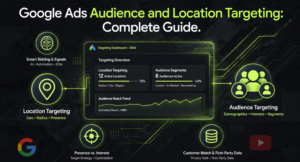
Google Ads audience and location targeting gives you the power to show your ads to the right people in the right places. Without it, your budget bleeds out to irrelevant clicks from people who will never buy from you. Imagine owning a bakery in London and your ads showing to someone in New York searching for “best croissant.” That is a wasted click and wasted money. Location targeting solves this by letting you define exactly where your ads appear: countries, regions, cities, or even a radius around your store .
Audience targeting takes this further. It lets you show ads based on who people are, what they search for, and how they have interacted with your business . When you combine these two, you create a powerful system that delivers your message to high-intent customers. This guide walks you through every targeting option, from geofencing to remarketing, so you can stop wasting budget and start driving real results.
What Google Ads Audience and Location Targeting Can Do for Your Business
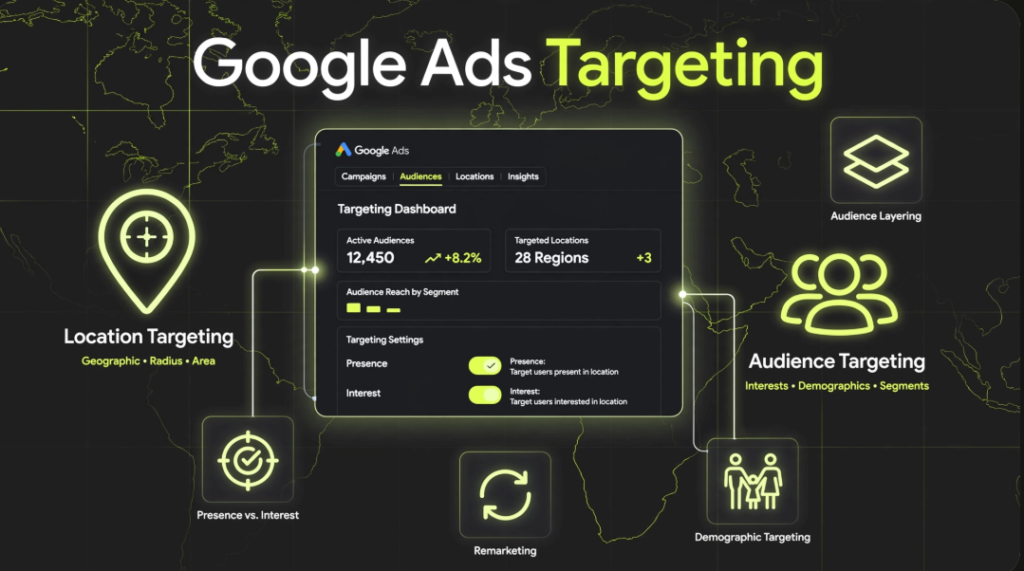
Location targeting prevents wasted ad spend in irrelevant regions and enables direct targeting of local customers . Audience targeting helps you reach people based on demographics, interests, habits, or their past interactions with your business . Together, they form the backbone of a profitable Google Ads strategy. You can target entire countries for national campaigns or drill down to specific postcodes for local businesses. You can also layer audiences onto location targets. For example, you can show ads only to people in London who have previously visited your website. This precision increases conversion rates and lowers customer acquisition costs.
Location Targeting: Where to Show Your Ads
Google Ads location targeting lets you select specific geographic areas for your campaigns . You have three main options: countries, areas within a country, and radius targeting.
Countries work well for national businesses or online retailers delivering worldwide. Areas within a country include regions, cities, or postcodes. These suit local businesses that serve specific neighbourhoods . Radius targeting lets you draw a circle around a location. You set a distance, and your ads show to people within that radius. This is excellent for businesses that deliver or rely on local foot traffic.
Google recommends using a minimum radius of 1 km. Smaller targets might not show your ads consistently because they do not meet Google’s privacy thresholds.
Presence vs. Interest: Choosing the Right Location Setting
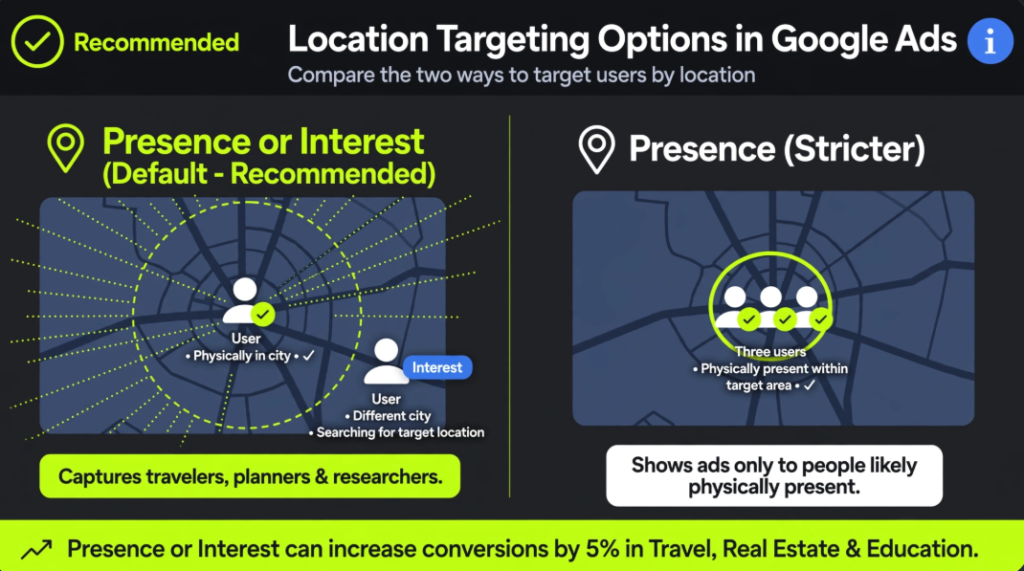
Google Ads gives you two location targeting options: “Presence or Interest” and “Presence”.
“Presence or Interest” is the default and recommended setting. It shows your ads to people who are physically in your targeted location and to people who have shown interest in that location. For example, someone in Chicago searching for “hotels in Paris” sees your ad if you target Paris . This broadens your reach and captures high-intent travellers or people planning to move.
“Presence” shows ads only to people who are likely to be physically located in your targeted area . Use this if your business requires physical presence, like a restaurant or a dentist.
Google data shows that advertisers who switched from “Presence” to “Presence or Interest” in Travel, Real Estate, and Education verticals saw 5% more conversions on Search campaigns.
How to Set Up Location Targeting in Google Ads
Setting up location targeting is straightforward.
- In your Google Ads account, click the Campaigns icon.
- Click Audiences, keywords and content, then select Locations .
- Click the blue pencil icon.
- Enter the name of the location you want to target. If you enter a city name, add the country name to avoid confusion (e.g., “Paris, France” vs “Paris, Texas”) .
- Click Save .
You can also target multiple campaigns simultaneously. Select the campaigns you want to change, click Edit, choose Change locations, and add or replace locations .
Reverse Location Targeting: Reach People Outside Your Area
Not everyone searching for your city is currently in it. People plan vacations, research real estate, or look for better deals in other locations . Reverse location targeting captures these high-intent searchers.
What is it? This strategy targets location-specific keywords but shows ads to users outside your business area. For example, someone in Louisiana searching for “houses for sale in Houston” would see your ad even though they are not in Houston .
Industries that benefit include real estate, travel, vacation planning, entertainment, and vehicles .
How to set it up:
- Research location-specific keywords thoroughly .
- Watch for duplicate city names across different states .
- Use ZIP codes or suburbs when possible .
- Create separate campaigns for your local area and for users outside it .
- Set one campaign to target users outside your city limits .
Google Ads Remarketing: Targeting People Who Already Know You
Remarketing targets users who have already engaged with your brand . These people visited your website, used your app, or watched your YouTube content. They are warmer leads and more likely to convert .
Google offers several remarketing audience types :
- Website visitors: Users who visited specific pages .
- App users: Users who interacted with your mobile app .
- YouTube viewers: Users who watched your channel or videos .
- Customer Match: Users who gave you their email or phone number .
You can also create rule-based user lists. For example, target users who visited the checkout page with more than one item in their cart . This level of precision makes your remarketing campaigns highly effective.
Search Remarketing (RLSA)
Search remarketing targets your audience when they search on Google. You can test broader keywords because these users already know your brand . Consider using broad match terms, review-related queries, or competitor names. Since they are familiar with you, the risk of wasted spend is lower .
Display Remarketing
Display remarketing shows banner ads to past visitors across the Google Display Network. Include your logo and branding for immediate recognition . Test separate campaigns for desktop, tablet, and mobile because mobile traffic often consumes most clicks and budget .
Demographic Targeting: Reaching the Right People
Google Ads offers basic demographics (age, gender, parental status, household income) and detailed demographics that go deeper .
Detailed demographic options include:
- Parental Status: Parents of infants, toddlers, grade schoolers, or teens .
- Marital Status: Single, in a relationship, or married .
- Education: Current college students, high school graduates, bachelor’s degree holders, or advanced degree holders .
- Homeowner Status: Homeowners or renters .
- Employment: Company size or industry .
Most of this data is inferred by Google . You can use detailed demographics to target specific groups or exclude irrelevant ones. For example, an inground pool installer might exclude renters .
Audience Layering: Combine Audiences for Better Results
Layering means applying multiple audience types to the same campaign. This refines your reach and reduces wasted spend .
Real-world examples of layering:
- Target people searching for a new car using an in-market audience for autos and vehicles .
- Layer an affinity audience of avid investors onto investing strategy queries .
- Add a remarketing audience of users who visited your pricing page in the last 30 days to branded searches .
Use Observation mode to test audience combinations without restricting reach. This lets you gather performance data before committing to full targeting.
Your Targeting Strategy Starts Now
Google Ads audience and location targeting are not optional. They are essential for protecting your budget and reaching your ideal customers. Start with location targeting to define where your ads appear. Add audience targeting to refine who sees them. Use remarketing to re-engage past visitors. Test different combinations in Observation mode and scale what works. Your customers are out there. It is time to find them with precision.
Read Also: Google Ads Sitelinks and Extensions: The Complete Guide
Frequently Asked Questions (FAQ)
What is the difference between audience targeting and location targeting?
Location targeting determines where your ads appear geographically. Audience targeting determines who sees your ads based on demographics, interests, or past behaviour. You can combine both for precise targeting.
How do I geofence in Google Ads?
Geofencing is radius targeting. You enter an address, set a radius (minimum 1 km), and your ads show to people within that area. You can target a radius around your business, a competitor, or any location .
What can Google Ads do with audiences from Google Analytics?
Google Ads can import audiences from Google Analytics. This allows remarketing to website visitors, specific page viewers, or users who completed goals. You can also create rule-based audiences based on event parameters .
How does Google Ads remarketing work?
Remarketing shows ads to users who previously interacted with your business. A tracking tag (remarketing tag) places cookies in visitors’ browsers. When they visit other websites or search on Google, your ads can appear .
What is Google Ads demographic targeting?
Demographic targeting lets you show ads based on age, gender, parental status, and household income. Detailed demographics go further with marital status, education, homeownership, and employment data .
How do I stop my Google Ads from showing outside my targeted area?
Change your location option from “Presence or Interest” to “Presence.” This shows ads only to people likely physically located in your targeted locations . Also, include your location in ad text to deter irrelevant clicks.

Wali Shah is the Founder and CEO of SkillsHeaven, a digital growth agency specializing in Local SEO, Google Ads, and conversion-focused website development. With over 8+ years of experience, he has helped scale 170+ businesses, including 93+ limousine companies globally, by building structured, lead-generating digital systems. His expertise spans local search optimization, paid media strategy, and high-performance website development, all aligned with measurable business growth. Known for a data-driven and ethical approach, Wali focuses on creating scalable marketing systems that increase visibility, generate qualified leads, and drive long-term revenue for service-based businesses.