
If you want to stop your Google Ads campaigns from running, you have two options: pause them temporarily or remove them permanently, and both take only a few clicks inside your Google Ads dashboard. Pausing keeps every setting, keyword, and performance record untouched so you can restart later, while removing shuts the campaign down for good. Businesses across Dubai and the wider UAE often reach out to us at Skills Heaven when they are unsure which option fits their situation, and this guide walks you through exactly how to cancel or pause Google Ads the right way, along with the details most tutorials skip.
Whether you are managing your own account or working with a Google Ads management partner in Dubai, understanding these controls gives you confidence that your ad budget is only being spent when you actually want it spent.
Pausing vs Removing: What Is the Real Difference

Before you touch anything in your dashboard, it helps to understand what each action actually does, because people often use “cancel,” “stop,” “deactivate,” and “turn off” as if they mean the same thing, when in Google’s system they translate into two very different outcomes.
Pausing a campaign stops your ads from showing on Google Search, YouTube, Display, and partner sites immediately, but every setting, keyword list, ad copy, bid history, and Quality Score is preserved. You can enable the campaign again whenever you are ready, and Google picks up close to where it left off.
Removing a campaign is closer to what most people mean when they ask how to cancel Google Ads for good. Once removed, a campaign cannot be resumed or edited again. You can still view its historical performance data for reporting purposes, but the campaign itself is finished.
If there is any chance you might want to run similar ads again in the coming months, pausing is almost always the smarter move. It costs you nothing to leave a campaign paused, and it saves you from rebuilding keyword research, ad groups, and conversion tracking from scratch.
How to Pause Google Ads Step by Step
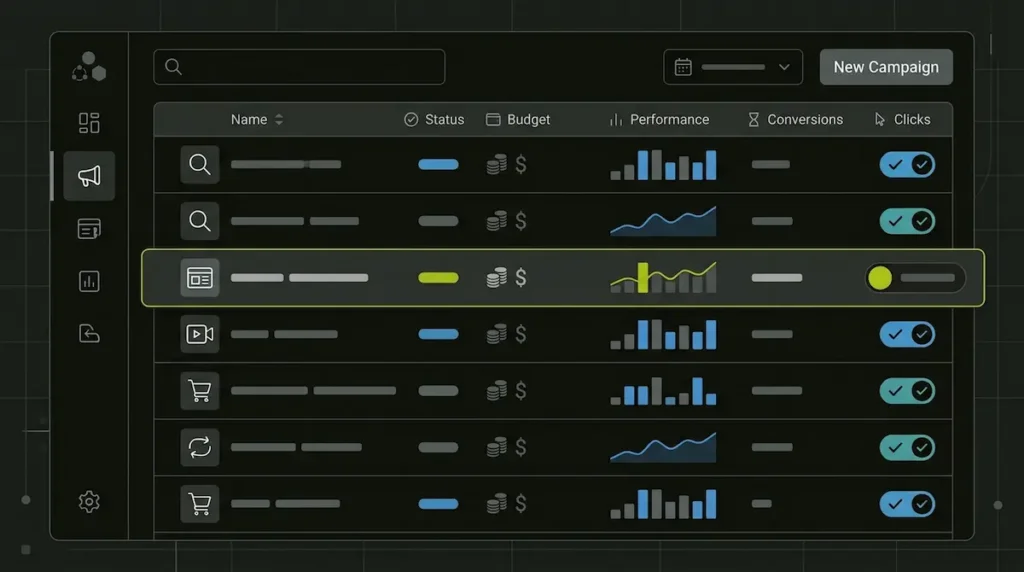
If your goal is to know how to pause Google Ads without losing any data, follow this process:
- Sign in to your Google Ads account at ads.google.com.
- Click on Campaigns in the left-hand menu.
- Select the checkbox next to the campaign, ad group, or individual ad you want to stop.
- Click the Edit dropdown above the list.
- Choose Pause from the options shown.
Your ads will stop serving within minutes, and you will not be charged for any impressions or clicks after that point. You can pause at three levels: the entire campaign, a specific ad group, or a single ad or keyword, which gives you fine control if only part of your account needs adjusting rather than everything at once.
This same process answers how to turn off Google ads temporarily, how to switch off Google ads for a season, or how to shut off Google ads while you review performance. The steps are identical regardless of which phrase you searched to get here.
How to Cancel Google Ads Permanently
If pausing is not enough and you have decided the campaign will not return, here is how to cancel Google Ads campaigns entirely:
- Log into your Google Ads account and open the Campaigns tab.
- Tick the box beside the campaign you want to end.
- Click Edit, then select Remove instead of Pause.
- Confirm the change, and the campaign status will update to “Removed.”
Keep in mind that removing a campaign is final. Google will not let you restore it, so if there is even a small chance you will want that structure again, export your keyword lists and settings first, or simply pause instead. This is the answer to how to cancel Google Ads without accidentally losing months of optimization work.
How to Deactivate Google Ads at the Account Level
Sometimes the question is not about a single campaign but about the whole account. If you have decided to stop advertising on Google entirely, you can deactivate Google Ads at the account level through Settings, then Account settings, followed by Cancel my account. This stops billing across every campaign in that account rather than one at a time.
Before doing this, check your Billing & Payments section for any outstanding balance, since Google Ads bills in arrears, and you may still receive a final invoice for clicks that occurred before deactivation. It is also worth reviewing Recommendations and turning off auto-apply settings, since Google sometimes applies suggestions automatically that increase spend without a direct confirmation from you. You can find the full breakdown of campaign statuses and account-level controls directly on the Google Ads Help Center, which is worth bookmarking if you manage multiple accounts and want to stay updated as Google rolls out changes to these settings.
Common Mistakes When Pausing or Cancelling Campaigns
Many business owners run into avoidable issues once they act on how to stop Google ads. Watch for these patterns:
Removing when pausing would do. Once a campaign is removed, all of that structure, keyword history, and Quality Score data is gone. Pause first, and only remove once you are certain.
Forgetting nested elements. Pausing a campaign does not automatically pause every ad group or keyword inside it if those were paused and reactivated independently before. Check each level to confirm your ads are actually stopped.
Ignoring the final invoice. Clicks that happened before you paused or removed a campaign are still billable, so do not be surprised by a small charge appearing after cancellation.
Leaving auto-apply recommendations on. These can quietly raise your budget or expand targeting even after you thought you had scaled things back.
Not reviewing performance before deciding. A campaign that looks like it is underperforming sometimes just needs adjusted bidding, better landing pages, or tighter keyword targeting rather than a full stop. A quick Local SEO and paid search audit often reveals the actual issue before you cancel anything.
When Pausing Makes More Sense Than Cancelling

There are several situations where a temporary pause serves your business far better than a permanent cancellation:
- Seasonal demand. If your product or service is only relevant during certain months, pause during the off-season and reactivate when demand returns, keeping your Quality Score and campaign history intact.
- Budget adjustments. If cash flow is tight this month, pausing protects your marketing budget without losing the groundwork you built.
- Testing new creative. Pause an ad, update the copy or landing page, then reactivate once everything is ready.
- Reviewing strategy. If you are unsure whether your current approach is working, pausing gives you time to evaluate without shutting the door on the campaign for good.
If your concern is really about performance rather than needing to stop advertising altogether, it is worth exploring what a properly structured Digital Marketing strategy in Dubai can do before you cancel anything permanently. Many accounts that look like they should be cancelled are actually one or two structural fixes away from generating consistent leads.
How to Cancel Ads on Google From Mobile
The steps for how to cancel ads on Google are the same on the Google Ads mobile app as they are on desktop, with a slightly different layout. Open the app, tap Campaigns, select the campaign you want to change, tap the status button near the top of the screen, and choose Pause or Remove from the menu that appears. The change applies instantly, just as it does on desktop.
Getting Professional Support Before You Cancel
If you manage Google Ads for a business in Dubai, Sharjah, Abu Dhabi, or anywhere across the UAE and you are considering cancelling a campaign because it is not delivering results, it is worth getting a second opinion first. At Skills Heaven, we regularly review accounts where the real issue was never the platform itself but the keyword structure, the ad copy, or a landing page that was not built to convert. Our team offers a free Google Ads audit that reviews your account before you make any permanent decision, so you know exactly what is costing you and what could be improved instead.
If you decide that pausing or cancelling truly is the right call, we can also help you restructure and relaunch a leaner, better-targeted campaign whenever you are ready to advertise again. You can browse more guides like this one on our blog, or reach out through our contact page to speak with our team directly.
Frequently Asked Questions
What is the difference between pausing and cancelling a Google Ads campaign?
Pausing stops your ads temporarily while keeping every setting, keyword, and performance record intact so you can resume later. Cancelling, also called removing, ends the campaign permanently, and it cannot be restored, though you can still view its past performance data.
Will I still be charged after I pause my Google Ads campaign?
You may receive a final charge for clicks or impressions that occurred before the pause took effect, since Google Ads bills in arrears. Once the campaign shows as paused, no new charges will accrue from that point forward.
Can I reactivate a Google Ads campaign after removing it?
No, removed campaigns cannot be reactivated or edited. If there is any possibility you will want to run the campaign again, pause it instead of removing it so the structure and history remain available.
How do I cancel my entire Google Ads account instead of one campaign?
Go to Settings, then Account settings, and select Cancel my account. This stops billing across all campaigns in that account at once, but you should check for any outstanding balance beforehand.
Does pausing a campaign affect my Quality Score?
No, Google preserves your Quality Score while a campaign is paused. When you reactivate it, performance typically continues from where it left off, provided your landing page and ad relevance have not changed significantly.
Should I pause my Google Ads campaign or just lower the budget?
It depends on your goal. If you want ads to stop showing entirely, pausing is the right choice. If you simply want to control spending while keeping some visibility, reducing the daily budget may be a better middle ground worth testing first.

Wali Shah is the Founder and CEO of SkillsHeaven, a digital growth agency specializing in Local SEO, Google Ads, and conversion-focused website development. With over 8+ years of experience, he has helped scale 170+ businesses, including 93+ limousine companies globally, by building structured, lead-generating digital systems. His expertise spans local search optimization, paid media strategy, and high-performance website development, all aligned with measurable business growth. Known for a data-driven and ethical approach, Wali focuses on creating scalable marketing systems that increase visibility, generate qualified leads, and drive long-term revenue for service-based businesses.