

If you are searching for how to redesign website without losing SEO, the short answer is this: plan your redirects, preserve your content, and map every old URL before you touch your design. A website redesign should refresh how your business looks online, not undo the rankings you spent months or years building. This guide walks through exactly how to redesign a website without losing SEO, step by step, so you understand both the strategy and the technical details behind it.
A redesign should feel exciting, not risky. Yet for many website owners, the fear is real. Weeks go into approving new layouts and fresh copy, only for the site to launch and organic traffic to quietly drop. The good news is that this outcome is avoidable. Learning how to preserve SEO when redesigning simply means treating the project as a migration, not just a visual update.
Does Website Redesign Affect SEO?
Yes, a website redesign can affect SEO, but it does not have to hurt it. Search engines rank specific URLs based on the content, structure, and authority those pages have built over time. When a site is redesigned, the exact signals search engines rely on often change too, including URL structure, internal links, page titles, and headings. If those elements shift without a plan, rankings can dip simply because search engines lose track of what moved where.
This is why how to keep SEO when redesigning website matters just as much as the new design itself. Sites that come out of a redesign stronger are the ones where SEO was part of the build from day one, not something checked at the end.
How to Keep SEO When Changing Website Structure
Here is the process that protects rankings during any redesign:
Audit the Existing Site First
Before changing a single page, crawl the current website and record every URL, title tag, meta description, and heading. Identify which pages bring in the most organic traffic and which ones earn backlinks from other websites. These pages carry most of the site’s search weight, and protecting them should be the first priority of the entire project.
Build a Complete URL Migration Map
This single step decides whether a redesign succeeds or fails from an SEO standpoint. List every URL on the current site, then map each one to its closest match on the new site. If a page is being removed entirely, point it to the most relevant category page rather than leaving it stranded. Skipping this step is the most common reason websites lose rankings after a relaunch.

Set Up Proper Redirects
Once the map is ready, implement redirects at the server level rather than relying on shortcuts like JavaScript or meta refresh tags, which search engines do not pass authority through reliably.
Carry Over What Already Works
Title tags, header structure, internal links, and keyword rich body content that already rank should move with the redesign. A relaunch is a good opportunity to refine weak content, but rewriting high performing pages from scratch without reviewing their current results is one of the fastest ways to lose ground already earned.
Test Everything on Staging
Build the new site in a private staging environment that search engines cannot crawl, and test every redirect before launch. Confirm that each one returns the correct status code and lands on the intended page.
Monitor After Launch
Submit the updated sitemap to Google Search Console immediately after going live, and watch closely for crawl errors, missing pages, or sudden ranking shifts in the weeks that follow.
Anyone wondering how to migrate without losing traffic and SEO during a full domain switch can follow this same map and redirect logic, just applied at a larger scale.
How to Change Domain Without Losing SEO
Changing a domain name is one of the more delicate moves in SEO, since it essentially asks search engines to transfer years of accumulated trust to a brand new web address. For anyone exploring how to change domain name without losing SEO, or simply how to change URL without losing SEO on individual pages, the rules stay consistent. Every old URL needs a 301 redirect pointing to its corresponding new URL, the sitemap must be updated and resubmitted, and internal links should point directly to the new addresses rather than relying on a chain of redirects to get there. A domain change is treated as a site move, and when handled correctly, ranking signals transfer along with it.
What Is a 301 Redirect in SEO and How Does It Help?
A 301 redirect is a permanent, server level instruction that tells browsers and search engines a page has moved for good, and that all future visits should go to the new address. This single piece of technical SEO answers most of the bigger questions people ask during a redesign.
Does a 301 redirect preserve SEO? Yes. A properly configured 301 redirect carries the ranking value, also known as link equity, from the old URL to the new one. This means a new page can keep the trust the old page spent months or years building.
Do 301 redirects help SEO? Yes, when used for genuinely permanent moves. They tell search engines exactly where content has gone, which prevents broken links and keeps backlinks from other websites pointing somewhere useful.
Is a 301 redirect good for SEO? Yes, it remains the safest and most widely recommended method for handling any permanent URL or domain change.
Does a 301 redirect affect SEO negatively? Only if implemented poorly. A single, direct 301 redirect from an old URL to its relevant new page causes no harm.
Do 301 redirects hurt SEO? Not when used correctly. Problems only appear when redirects are chained together, point to unrelated pages, or rely on slow JavaScript and meta refresh methods instead of proper server side redirects.
Are too many 301 redirects bad for SEO? According to discussion on Google’s own support forums, a large volume of well organized, direct redirects on a big site causes no real issue. The actual risk comes from redirect chains, where one URL redirects to another, which redirects again, and so on. Each extra hop weakens the signal slightly and slows page loading, so the goal is always one clean redirect from the old URL straight to the new one.
So when people ask are redirects bad for SEO, do redirects hurt SEO, do redirects affect SEO, or does redirect affect SEO, the answer is consistent: redirects themselves are not the problem. Poorly planned redirects are.

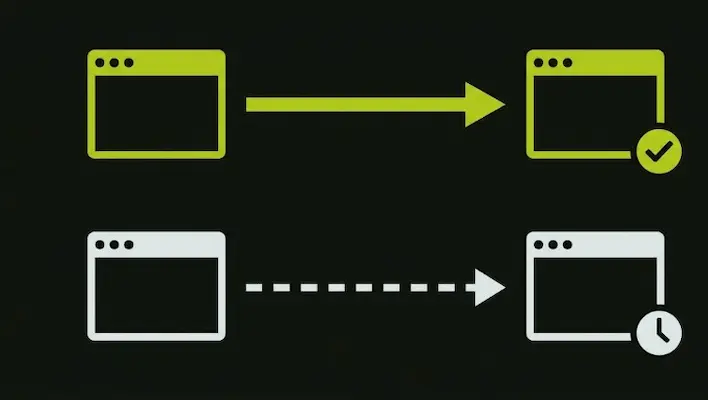
What Is a 302 Redirect in SEO?
A 302 redirect signals a temporary move rather than a permanent one. Unlike a 301, it tells search engines to keep the original URL indexed because the change is not meant to last.
Does a 302 redirect affect SEO? It can, if used in the wrong situation. Because a 302 does not pass full ranking value the way a 301 does, using it for a permanent redesign or domain change can leave new pages without the authority they need.
Do 302 redirects affect SEO? Yes, mainly because search engines may continue showing the old URL in results instead of the new one, which defeats the purpose of the redesign.
Does a 302 redirect hurt SEO? Only when used incorrectly for a permanent change. For genuinely short term situations, like a maintenance page or an A/B test, a 302 is the right and harmless choice.
Are 302 redirects bad for SEO? Not inherently. They simply serve a different purpose than a 301, and mixing up the two during a redesign is one of the most common technical mistakes seen on business websites going through a migration.
Are 404 Errors Bad for SEO?
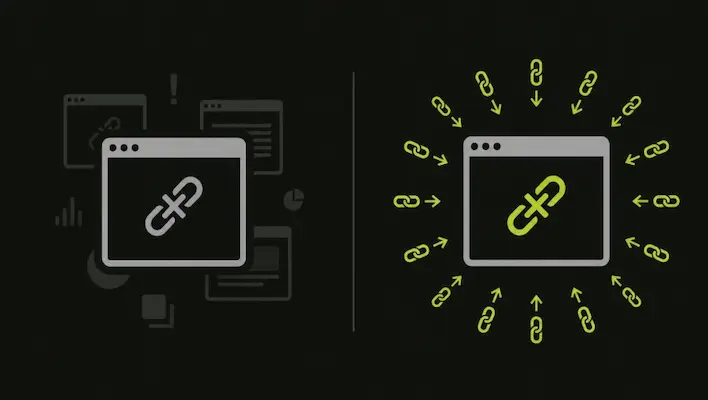
This is one of the most misunderstood parts of any redesign. A 404 page appears when a visitor tries to reach a URL that no longer exists, and on its own, this is not a penalty.
Are 404 errors bad for SEO? Not by default. Search engines have confirmed that returning a 404 for a page that genuinely should not exist is the technically correct response. It tells crawlers there is nothing here to index, which is actually a clean signal rather than a harmful one.
Do 404 errors hurt SEO? Indirectly, yes, but only in specific situations. If a page that previously ranked well or carried valuable backlinks suddenly returns a 404 without a redirect, the authority that page had earned is lost. The 404 status code itself is not the issue. The missing redirect is.
Are 404 pages bad for SEO? A handful of 404s on old, irrelevant URLs will not damage visibility. A large number of 404s appearing across pages that used to rank, however, signals to both users and search engines that the site was not maintained properly during the transition.
Does a 404 page affect SEO? Mainly through user experience. Visitors who land on a dead page tend to leave immediately, and that bounce can quietly affect engagement metrics over time, even if the 404 status code itself carries no direct penalty.
The safest approach during any redesign is straightforward. If a page had traffic, rankings, or backlinks, redirect it. If a page never had value or relevance, letting it return a clean 404 is perfectly fine and expected.
Bringing It All Together
Most redesign related SEO drops share the same root cause: design decisions and SEO strategy were never connected from the start. By the time rankings are checked, the damage is already done, and recovering lost visibility usually takes far longer than building it correctly the first time.
Knowing how to redesign a website without losing SEO comes down to a handful of consistent habits: audit before you build, map every URL, choose the correct redirect type for each situation, keep what already performs well, and watch the data closely after launch. This is the same approach the team at SkillsHeaven follows when guiding businesses through a redesign or migration, treating SEO as part of the build rather than a final checklist item. Handled this way, a redesign becomes an opportunity to improve a site’s structure, speed, and content, while keeping the search visibility that took real time and effort to earn.
Why Businesses Trust SkillsHeaven With Their Redesign?
Most website redesign horror stories share the same root cause. The design team and the SEO strategy never sat at the same table. By the time anyone checks rankings, the damage is already done, and recovering lost visibility takes far longer than building it the right way from day one.
At SkillsHeaven, every website redesign and web development project, we handle for businesses starts with a full audit of your current rankings, top performing pages, and backlink profile before a single design decision is made. We build the redirect map, preserve what already works, and monitor your site closely after launch so your new website looks better and performs at least as well, if not better, than the one it replaced.
If you are planning a redesign, a domain change, or a full site migration and want it done without losing the visibility you have worked hard to earn, book a free strategy call with our team and we will walk you through exactly what your project needs.

Atif Khan is a highly experienced Local SEO Expert and Strategic SEO Consultant who helps businesses turn their websites into powerful lead-generating assets. With hands-on experience optimizing and ranking over 100 websites across competitive industries, he specializes in building data-driven SEO systems that improve local search visibility, attract qualified traffic, and convert visitors into customers. His expertise spans Google Business Profile optimization, technical SEO, keyword research, content strategy, and conversion-focused website optimization, ensuring every project is aligned with measurable business outcomes. Atif focuses on creating complete local search ecosystems, combining website authority, relevance, and trust signals to help businesses dominate in their target locations. Beyond rankings, he develops scalable growth strategies that drive calls, inquiries, and long-term revenue. His approach is rooted in ethical, white-hat SEO practices, continuous optimization, and performance tracking, ensuring sustainable results. As a consultant, he works closely with businesses and agencies to align SEO with revenue goals, improve digital presence, and build long-term organic acquisition systems.