You can optimize your Google Business Profile for local SEO by completing every section accurately, choosing the right categories, adding regular photos and posts, and earning consistent customer reviews. Knowing how to optimize Google Business Profile for local SEO is one of the fastest ways to improve visibility in Google Maps and the Local Pack, since this free listing often becomes a customer’s first impression of your business before they ever visit your website. It also works best as part of a broader Local SEO strategy rather than a standalone task. This guide walks through every step needed to build a profile that ranks well and converts searchers into customers.
Why Google Business Profile Matters for Local SEO
Google’s local ranking system relies on three core factors: relevance, distance, and prominence. Relevance measures how well your profile matches a search query. Distance reflects how close your business is to the searcher. Prominence is shaped by your reviews, citations, and overall online reputation. While you cannot control distance, you have full influence over the other two, which is exactly where Google Business Profile optimization comes in.
How Does Google My Business Impact Local SEO
A complete, accurate Google Business Profile directly impacts local SEO by helping Google match your listing to the right searches. Profiles with detailed categories, updated hours, and consistent information are far more likely to appear in discovery searches, where customers search for a type of service rather than a specific brand name.
What Role Does Google My Business Play in Local SEO
Google My Business acts as a verified data source that confirms your business is legitimate, active, and relevant to local searchers. It feeds directly into Google Maps and Search results, making it one of the few tools where optimization efforts show up almost immediately in visibility and engagement.

How to Set Up Google My Business for Local SEO
Setting up your profile correctly from the start saves time later. Visit business.google.com and sign in with a business email rather than a personal one, since this makes long term management and verification easier. Enter your official business name exactly as it appears on your website, add your accurate address or service area, and select your primary business category carefully, since this single choice heavily influences which searches your profile appears for.
How to Audit Google Business Profile for Local SEO
Auditing your profile regularly catches issues before they affect rankings. Start by checking that your name, address, and phone number match your website exactly. Review your categories to confirm they still reflect your current services. Check your business hours, including holiday schedules, and scan recent photos and reviews for anything that needs a response or removal request. A monthly audit habit keeps your listing accurate and competitive.
How to Optimize Google My Business Listing for Local SEO
Once your profile is live, optimization becomes an ongoing process rather than a single task. Focus on these key elements.
Business Description Write a clear, natural description that explains what you do and what sets you apart. Include relevant keywords naturally, without stuffing them in awkwardly, since Google rewards descriptions that genuinely help searchers understand your business.
Categories Choose one precise primary category and add secondary categories only when they truly apply. Accurate categories help Google match your profile to the right local searches instead of broad, unrelated ones.
Photos and Videos Add high quality images of your storefront, team, and products or services. Profiles with strong visual content tend to receive more clicks, calls, and direction requests compared to listings with few or outdated photos.
Posts and Updates Publish regular updates about offers, events, or new services. Frequent posting signals to Google that your business is active, which supports stronger visibility over time.
Reviews and Responses Encourage satisfied customers to leave reviews and respond to every review professionally and promptly. Review volume and recency are strong prominence signals that directly influence how to optimize Google Business Profile for local SEO in a way that builds long term trust.

How to Optimize Google My Business Profile for Local SEO With NAP Consistency
NAP stands for name, address, and phone number, and consistency across your website, directories, and social platforms is essential. When these details match everywhere, Google gains confidence in your business’s legitimacy, which strengthens your chances of ranking in the Local Pack. Google’s own Business Profile guidelines confirm that accurate, consistent information is a core ranking signal.
How to Improve Google Business Profile Ranking: Local SEO Tips
A few practical habits make a noticeable difference over time. Keep your hours accurate at all times, including seasonal changes. Add new photos monthly instead of leaving the same images for years. Use the Q&A section to answer common customer questions before they are even asked. Link your website’s Search Console verification to your profile email for faster, smoother verification and management.
Is Google My Business Worth the Effort for Local SEO
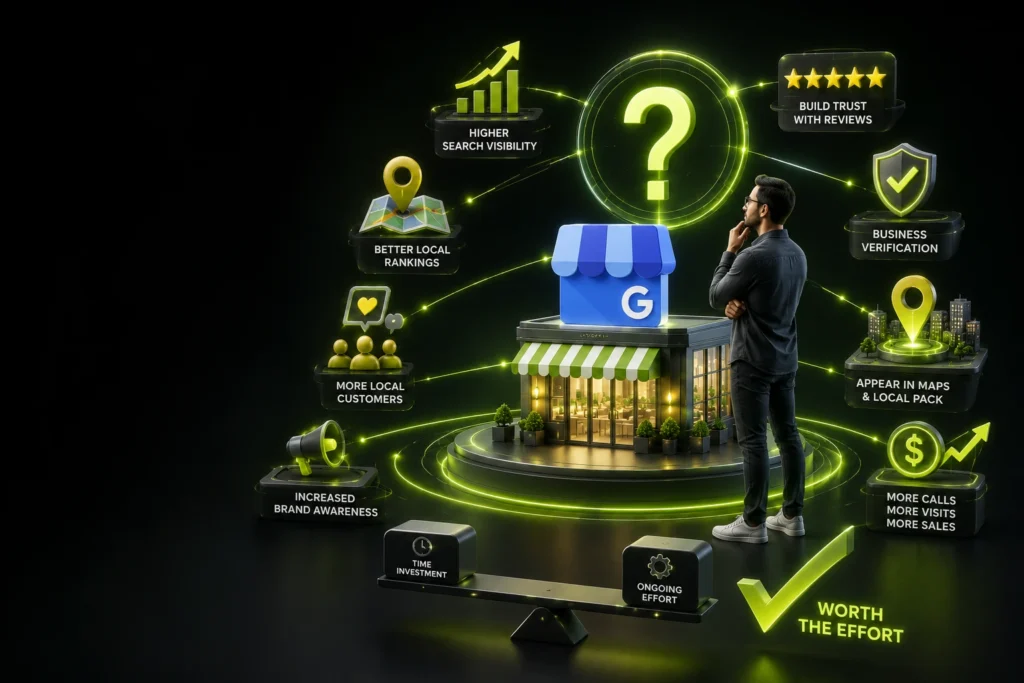
Yes, and the return on effort is significant. A completed, well maintained profile increases the likelihood of appearing in the Local Pack, drives direct calls and direction requests, and builds trust before a customer even clicks through to your website. For local service businesses, this free tool consistently delivers some of the highest returns of any local SEO activity, which is why an experienced SEO and digital marketing team like Skills Heaven makes it a core part of every local growth plan.
Building Long Term Local Visibility
Optimization is not a one time task. The businesses that consistently rank well treat their Google Business Profile as a living asset, updating photos, responding to reviews, refreshing posts, and auditing details every month. Mastering how to optimize Google Business Profile for local SEO means combining accurate setup with steady, ongoing attention, which is exactly what a dedicated digital marketing team delivers for businesses that want to dominate local search instead of falling behind.

Wali Shah is the Founder and CEO of SkillsHeaven, a digital growth agency specializing in Local SEO, Google Ads, and conversion-focused website development. With over 8+ years of experience, he has helped scale 170+ businesses, including 93+ limousine companies globally, by building structured, lead-generating digital systems. His expertise spans local search optimization, paid media strategy, and high-performance website development, all aligned with measurable business growth. Known for a data-driven and ethical approach, Wali focuses on creating scalable marketing systems that increase visibility, generate qualified leads, and drive long-term revenue for service-based businesses.